
Volume Control Styles SynEdge
- 7.0
1381Evaluation
- 4875+
downloads
- 16+
Over 16 years old
Volume Control Styles SynEdge
Reimagine Your Volume Control
• Stop settling for Android’s intrusive, generic volume slider.
• SynEdge replaces the standard, screen-blocking bar with a fluid, bespoke overlay that reflects your personal style.
• Whether you want a minimalist aesthetic or a high-tech cyberpunk interface, SynEdge puts complete creative control in your hands.
Design Without Limits
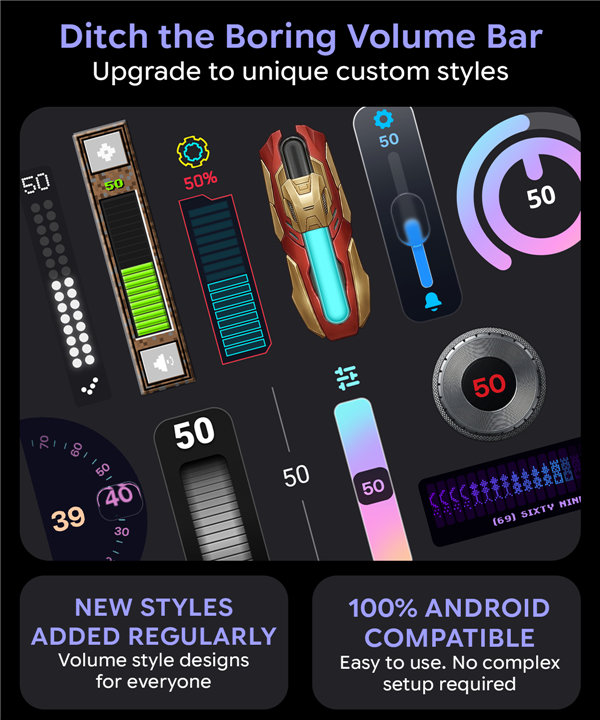
• Choose from over 40 distinct slider styles and 900+ themes.
• From the sophisticated, Apple-inspired Liquid Glass to retro terminal displays and neon-soaked HUDs, every element is designed to enhance your interface, not obstruct it.
Key Customization Features
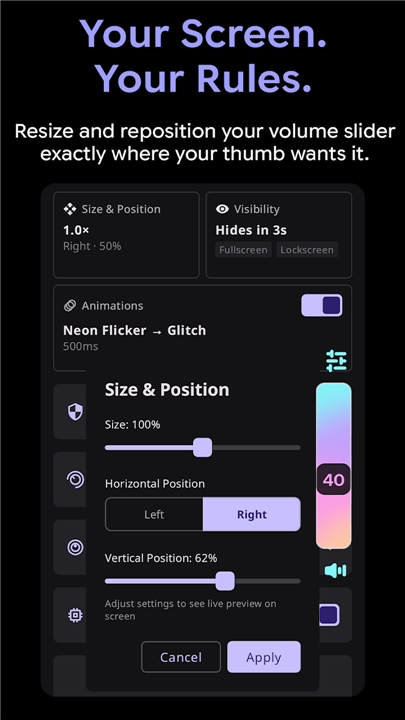
• Precision Placement: Drag, pin, or resize your volume slider anywhere on your screen.
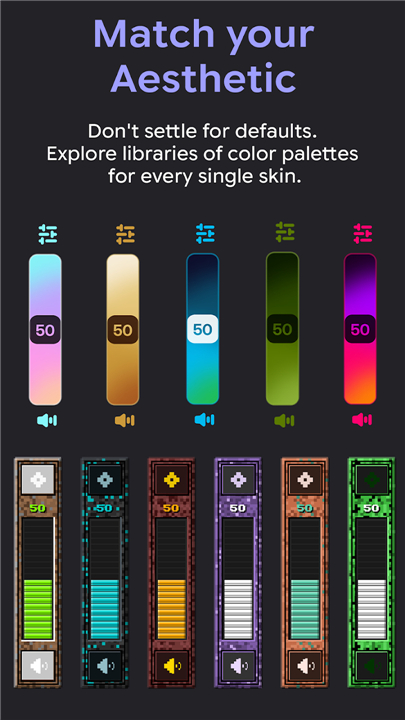
• Total Aesthetic Control: Adjust colors, corner radii, and themes to match your wallpaper or system theme.
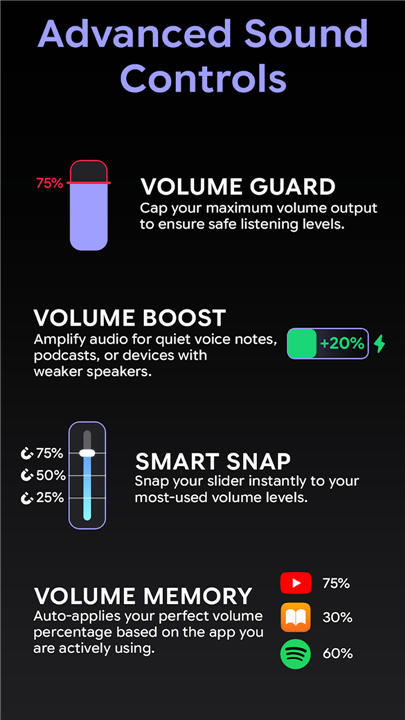
• Adaptive UX: Enjoy snap-to-level precision and fluid gesture-based scrubbing for faster, smoother adjustments.
Performance That Respects Your Space
• Smart Exclusions: Automatically suppress the overlay in specific apps like games or video players to ensure an uninterrupted experience.
• System Integration: Works seamlessly across all orientations, including foldable device modes.
• Privacy Focused: SynEdge requires no internet connection, contains no ads, and tracks no data. Your settings remain exclusively on your device.
Transparency and Accessibility
• Accessibility Access: Used strictly to detect physical volume button presses.
• Display Permissions: Required solely to render the custom overlay.
• Battery Optimization: Ensures your volume control is instant and responsive without draining your battery.
Download SynEdge Now
• Transform your volume adjustment into a visual experience tailored to you.
FAQ
Q: Why should I replace my system’s default volume slider?
A: Most Android volume controls are generic and can obstruct your screen content. SynEdge improves this experience by allowing you to choose a design that is less distracting and perfectly tailored to your visual preferences.
Q: How many customization options are available within the app?
A: You have extensive creative control, with access to over 40 distinct slider styles and more than 900 unique themes to ensure your volume control looks exactly how you want it.
Q: Can I change the location of the volume slider on my screen?
A: Yes, you can use the precision placement feature to drag, pin, or resize your volume slider to any location on your screen that feels most natural for your usage patterns.
Version History
v1.62——20 Jul 2026
Custom animated volume overlay — Skins, themes & zero ads Download the latest version of Volume Control Styles SynEdge to enjoy new features and updates immediately!
*1.62
Important bugfix for Realme and Samsung.
*1.61
Bugfix for Realme devices.
New skin Codex.
New Founder exclusive skin Venom.
*1.60
Added new skin: Frosted Pane.
Bug fixes.
- Version number1.62
- System Requirements5.0 and up
- Is there a feeFree(In game purchase items)
- AppSize21.73M
- AppLanguage English
- PublisherAionyxe
- Package Namecom.aionyxe.synedge
- MD5
- Content RatingTeenDiverse Content Discretion Advised
- Privilege19

-
Volume Control Styles SynEdge 1.62Install
21.73M2026-10-29Updated










7.0
270 Human Evaluation
- 5星
- 4星
- 3星
- 2星
- 1星