

Sticker Maker - WA Sticker
- 8.6
9471Evaluation
- 3575+
downloads
- 16+
Over 16 years old
Sticker Maker - WA Sticker
Transform Your Imagination into WhatsApp Stickers
• Express yourself like never before with Sticker Maker, the ultimate tool for crafting personalized WhatsApp stickers that capture your unique personality.
• Whether you are turning memorable photos into shareable art, designing hilarious meme stickers, or bringing conversations to life with motion stickers, this versatile creator has everything you need to elevate your messaging experience.
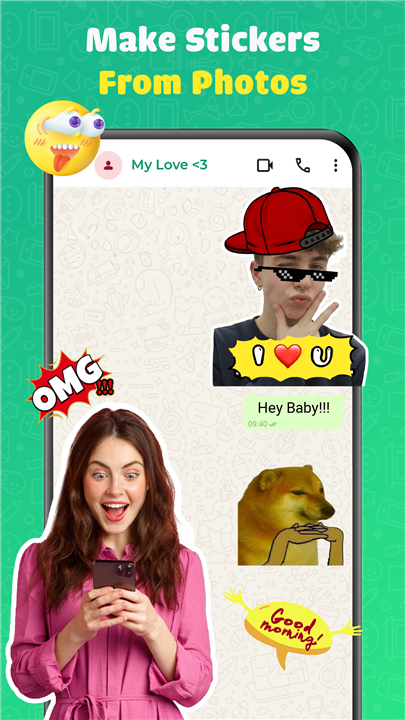
Create Stickers From Photos and Videos
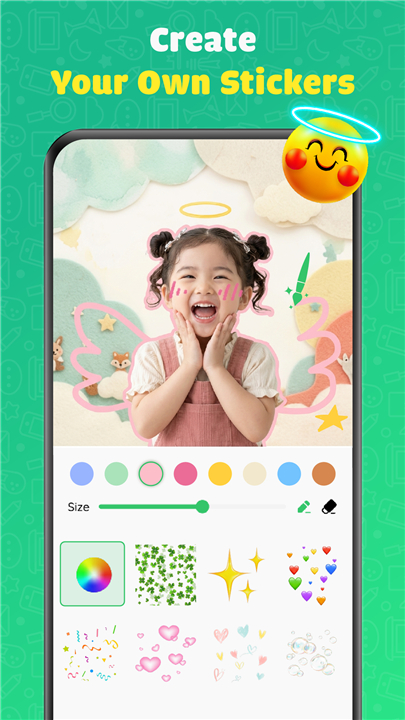
• Import your favorite photos and instantly transform them into custom WhatsApp stickers
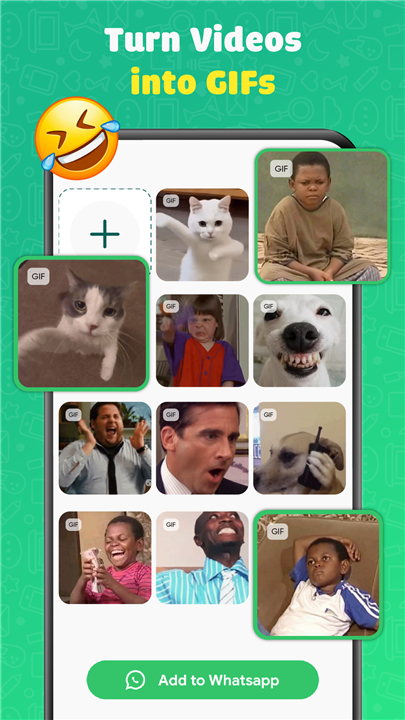
• Convert engaging videos and GIFs into animated stickers that bring your chats to life
• Turn everyday moments into extraordinary expressions that your contacts will love
Cutting Tools
• Shape Cut: Slice stickers into a variety of creative shapes with a single tap
• Manual Cut: Refine every detail using freehand strokes for精准 results that match your vision
Powerful Editing Tools
• Text: Overlay text with playful presets and stylish bubble designs
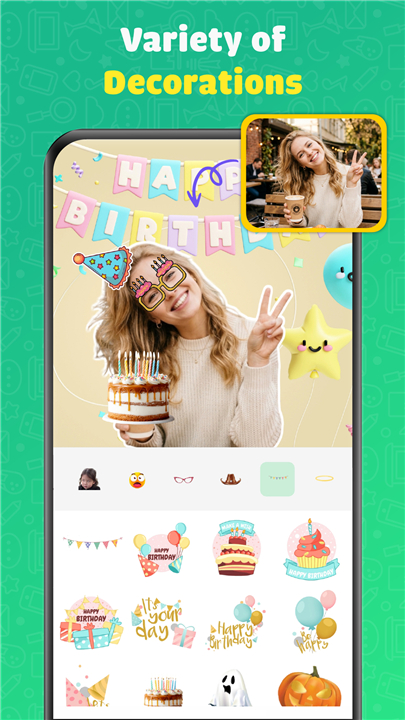
• Emoji and Decorations: Enhance stickers with expressive emojis and decorative elements
• Draw: Unleash your creativity by drawing freely or applying artistic effects
• Outline: Add bold borders in eye-catching colors that make your stickers pop
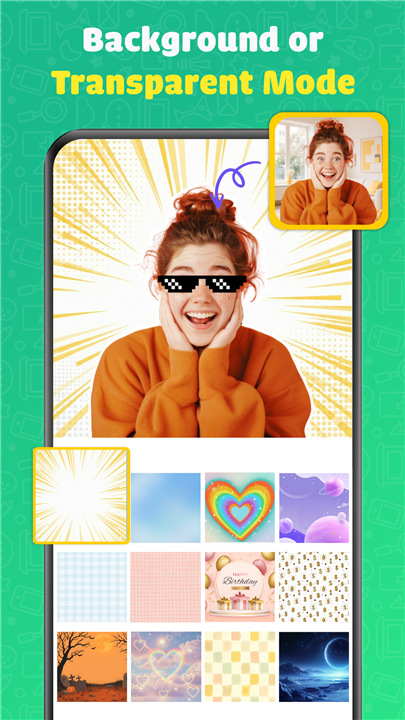
• Background: Replace backgrounds with vibrant colors and themed palettes
Export and Share
• Send your creations directly to WhatsApp with one seamless tap
• Share complete sticker packs with friends and family effortlessly
• Organize your collection for quick access during any conversation
Explore and Expand
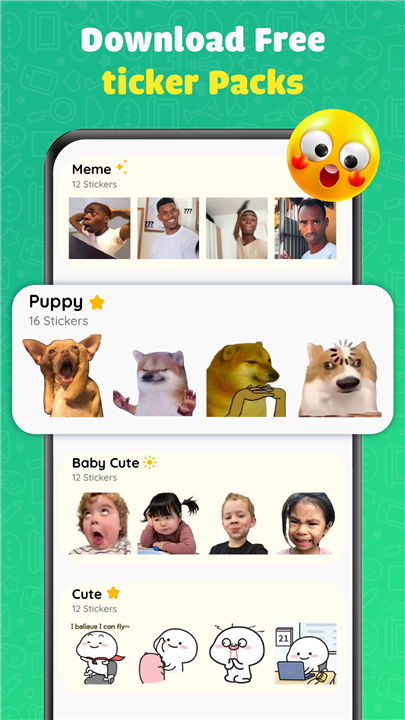
• Browse a rich library of ready-to-use packs and templates
• Start from scratch or build upon diverse templates to create stunning stickers in seconds
• Build unlimited collections and organize them however you like
Download Sticker Maker today
• Start creating stickers that truly represent you.
FAQ
Q: What types of files can I convert into stickers with this app?
A: Sticker Maker supports a wide variety of input formats to give you maximum flexibility. You can import standard image formats like JPEG and PNG from your device's photo library, and the app will automatically process them for sticker creation. Beyond static images, you can also work with videos and animated GIFs, which the app intelligently converts into animated stickers complete with smooth playback. The converter preserves the quality of your source material as much as possible, though very long videos may be trimmed to WhatsApp's sticker duration limits.
Q: What's the difference between Shape Cut and Manual Cut modes, and when should I use each?
A: Shape Cut and Manual Cut serve different purposes depending on your creative needs and the complexity of your source image. Shape Cut is designed for quick, automatic extraction of subjects from their backgrounds using intelligent detection algorithms, making it ideal for stickers where your subject has clean edges against a contrasting background. Manual Cut, on the other hand, gives you complete control through freehand drawing, allowing you to trace around intricate details like hair, irregular shapes, or objects that the automatic detection might struggle to identify accurately. Most users find they start with Shape Cut for efficiency and switch to Manual Cut for refinement.
Q: How can I get precise results when using the Manual Cut tool?
A: Achieving precision with the Manual Cut tool comes down to technique and using the right brush settings for each section of your image. Start by zooming in on your photo to see the edges clearly, then use a smaller brush size for detailed areas like hair strands or fine lines. Theapp offers adjustable brush hardness, so you can blend edges smoothly or keep them sharp depending on your preference. Take your time tracing the outline, and don't worry about small mistakes because you can always use the undo function or add to your selection by switching between remove and add modes. With a bit of practice, you'll be able to cut out complex subjects with impressive accuracy.
Version History
v5.0.0.0——12 May 2026
Turn your photos into unique stickers and express yourself in every chat! Download the latest version of Sticker Maker - WA Sticker to enjoy new features and updates immediately!
*5.0.0.0
• Animated Stickers are here! Preview and edit them with ease.
• Manage layers faster – duplicate or delete directly from the toolbar.
• Layer count display helps you stay organized.
• AI Background Remover – remove backgrounds instantly.
• More accurate text rendering and sizing.
• Enhanced Present mode layout for text stickers.
• Cleaner, more intuitive UI with streamlined toolbar controls.
• General bug fixes and performance improvements.
*3.0.0.0
- Create custom stickers from your photos in seconds.
- Precise background removal tool.
- Add text, emojis, and decorations.
- Export directly to WhatsApp and Telegram.
- Bug fixes and performance improvements.
*1.0.0.0
- Create custom stickers from your photos in seconds.
- Precise background removal tool.
- Add text, emojis, and decorations.
- Export directly to WhatsApp and Telegram.
- Bug fixes and performance improvements.
- Version number5.0.0.0
- System Requirements5.0 and up
- Is there a feeFree(In game purchase items)
- AppSize106.74M
- AppLanguage English
- PublisherHihoay.io
- Package Namecom.taymay.sticker.maker
- MD5
- Content RatingTeenDiverse Content Discretion Advised
- Privilege19
-
Sticker Maker - WASticker 1.284.76Install
29.03M2026-09-14Updated
-
Sticker Maker - WA Sticker 5.0.0.0Install
106.74M2026-09-14Updated
-
Sticker Maker 5.8.0Install
19.46M2026-09-14Updated










8.6
5984 Human Evaluation
- 5星
- 4星
- 3星
- 2星
- 1星