
ScreenStream
- 8.2
117Evaluation
- 4866+
downloads
- 16+
Over 16 years old
ScreenStream
Your Screen, Your Rules
• ScreenStream transforms any Android device into a powerful, open-source broadcasting hub.
• Whether you are leading a presentation, providing remote technical support, or sharing a gaming session, ScreenStream delivers high-quality audio and video directly to any modern web browser—no cables, no software installations, and no headaches.
Versatile Streaming Modes
1. Global (WebRTC)
• Broadcasting made secure and simple.
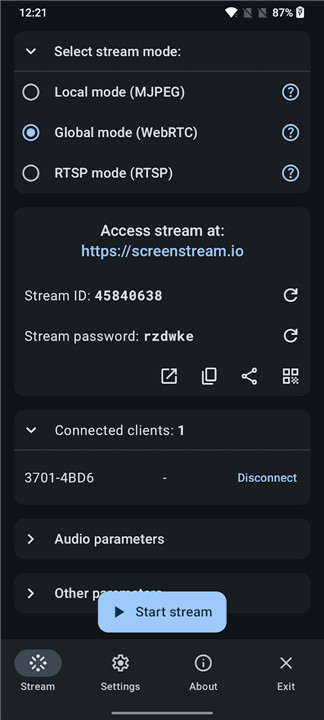
• Utilize end-to-end encrypted, password-protected peer-to-peer streaming to share your screen and audio across the globe.
• Viewers simply join via a Stream ID in any WebRTC-compatible browser.
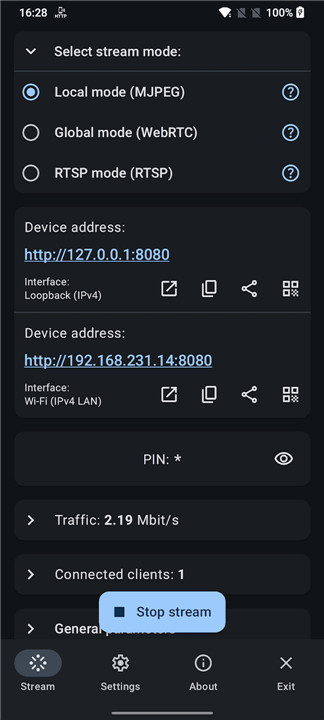
2. Local (MJPEG)
• The ultimate offline solution.
• Turn your device into an embedded HTTP server that functions over Wi-Fi, mobile hotspots, or USB tethering.
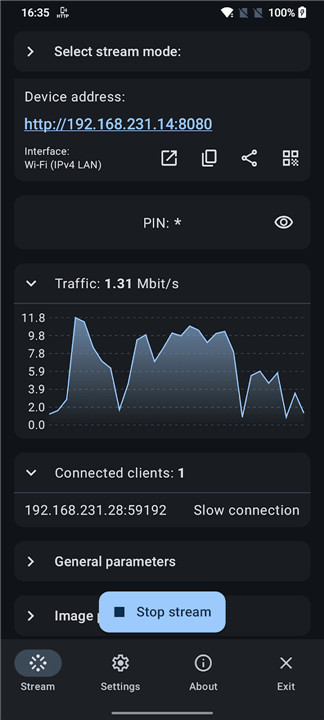
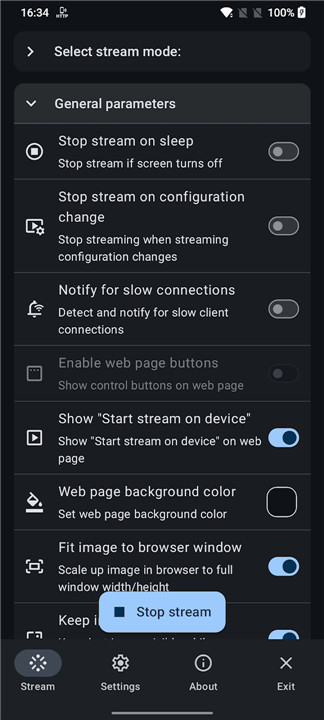
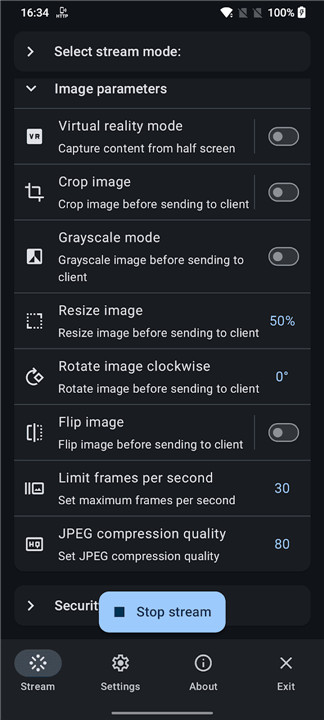
• It is perfect for low-latency, local tasks, offering customizable options like cropping, rotating, and optional PIN security.
3. RTSP
• For power users and professionals.
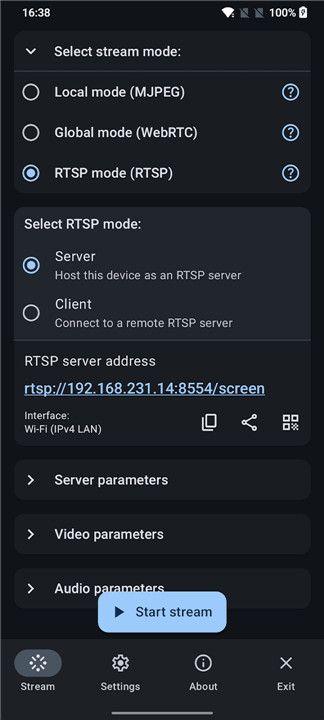
• Integrate your stream seamlessly with industry-standard tools like OBS, VLC, FFmpeg, and mpv.
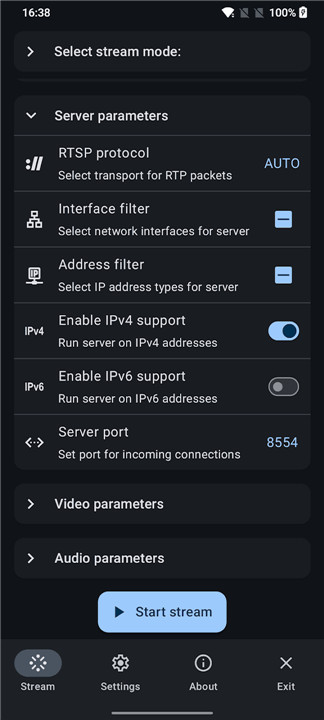
• Supporting H.265/H.264 video and multiple audio formats, this mode offers robust control, including server and client functionalities and ONVIF discovery.
Why Choose ScreenStream?
1. Universal Utility:
• Ideal for remote troubleshooting, dynamic demos, classrooms, and casual sharing.
2. Open Source Commitment:
• Built with transparency under the MIT License.
3. Zero Friction:
• Forget proprietary software or complex setups.
• If you have a browser, you have a receiver.
4. Platform Ready:
• Compatible with Android 7.0 and higher, leveraging the standard MediaProjection API for consistent performance.
Essential Details
• Connectivity: While highly flexible, please note that streaming consumes significant data; Wi-Fi is recommended for the best experience.
• Compatibility: Designed to work across diverse network environments, including IPv4 and IPv6.
• Open Access: Join a community dedicated to seamless, open screen-sharing technology.
FAQ
Q: Do my viewers need to install any apps to watch my stream?
A: Not at all. One of the main benefits of ScreenStream is its zero-friction design. Because the app utilizes standard web protocols, your viewers only need a modern web browser on their device to view the stream, making it incredibly convenient for quick presentations or remote support.
Q: What is the difference between Global (WebRTC) and Local (MJPEG) modes?
A: Global mode uses WebRTC to broadcast your screen securely over the internet using end-to-end encryption, which is perfect for sharing with people in different locations. Local (MJPEG) mode transforms your device into an HTTP server that works over your local Wi-Fi, hotspot, or USB tethering, providing a highly reliable connection for tasks within the same network.
Q: Can I password-protect my broadcasts?
A: Yes, security is a priority. Both the Global WebRTC mode and the Local MJPEG mode offer optional PIN or password security, ensuring that only the people you authorize can view your screen content.
Version History
v4.4.2——15 Jul 2026
Secure one‑tap screen & audio share via WebRTC/MJPEG/RTSP to browsers/players Download the latest version of ScreenStream to enjoy new features and updates immediately!
*4.4.2
- WebRTC update to 150.0.7871.63
- Localization fixes
- Bug fixes
*4.4.1
- Added ONVIF discovery for RTSP server streams (H.264).
- Added Android 17 support and local network permission handling.
- Bug fixes
*4.4.0
- Added ONVIF discovery for RTSP server streams (H.264).
- Added Android 17 support and local network permission handling.
- Version number4.4.2
- System Requirements5.0 and up
- Is there a feeFree(In game purchase items)
- AppSize58.60M
- AppLanguage English
- PublisherDmytro Kryvoruchko
- Package Nameinfo.dvkr.screenstream
- MD5
- Content RatingTeenDiverse Content Discretion Advised
- Privilege19
-
ScreenStream 4.4.2Install
58.60M2026-10-29Updated










8.2
3604 Human Evaluation
- 5星
- 4星
- 3星
- 2星
- 1星