

Screen Recorder - AX Recorder
- 9.3
5996Evaluation
- 2545+
downloads
- 16+
Over 16 years old
Screen Recorder - AX Recorder
Your Vision, Captured and Perfected.
• Ignite your creativity and effortlessly bring your digital world to life with AX Recorder.
• This powerful, lightweight screen recorder is designed to transform your ideas into stunning videos, capturing every moment with crystal-clear audio and cinematic quality, all without lag or watermarks.
• It's your ultimate companion for turning concepts into professional-grade content.
Unleash Your Capture Potential
1. Effortless Recording:
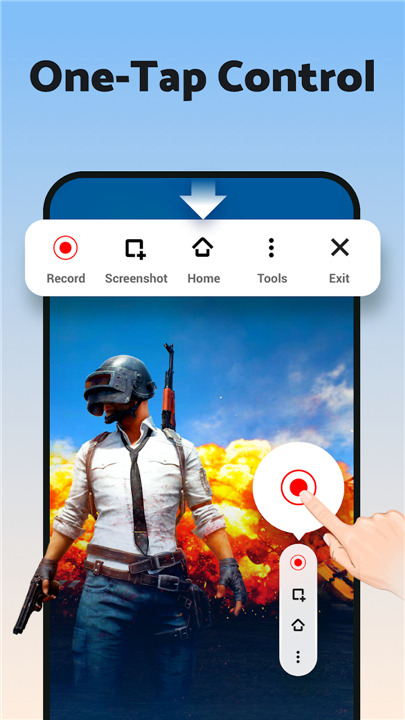
• Start and stop recordings instantly with a single tap, or use the discreet Floating Ball for precise control over spontaneous moments.
2. Pristine Audio:
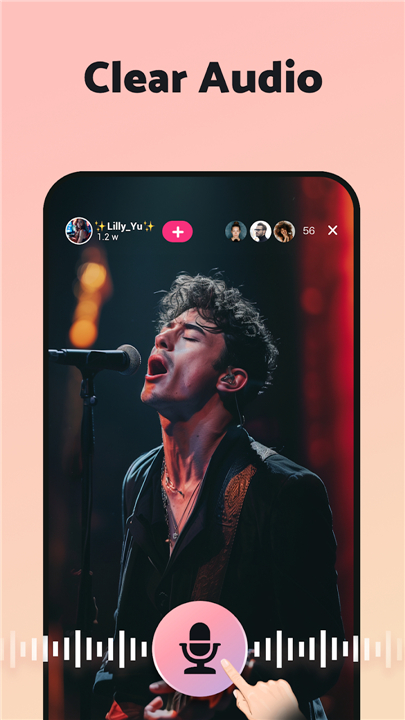
• Capture clear sound through internal recording (Android 10+) or external audio inputs, ensuring your narration or game sounds are perfectly heard.
3. Dynamic Facecam:
• Seamlessly integrate your reactions and commentary by recording with your front camera, adding a personal and engaging touch to your videos.
4. Flexible Focus:
• Record the entire screen or pinpoint a specific region, giving you complete control over what your audience sees.
5. Instant Screenshots:
• Grab high-quality full-screen captures with a single tap, perfect for quick references or sharing.
Elevate & Refine Your Creations
1. Stunning HD Quality:
• Record in breathtaking 1080p, 16Mbps, and up to 120FPS.
• Customize resolution, quality, and frame rate to meet your project's demands.
2. Intuitive Visual Tools:
• Utilize the Brush Tool to draw, doodle, highlight, or add shapes directly onto your screen, making your presentations and tutorials exceptionally clear.
3. Comprehensive Editing Suite:
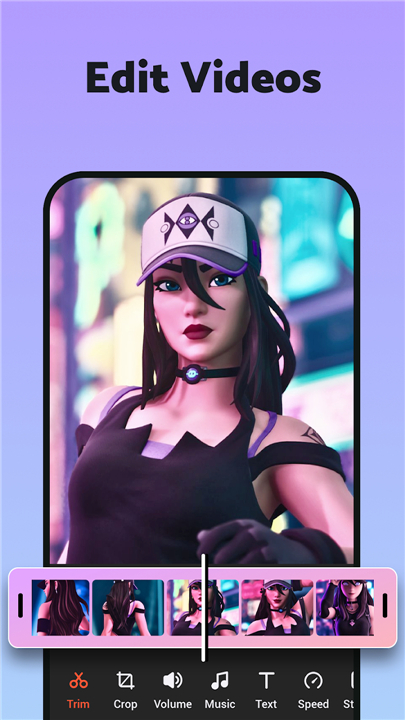
• Trim, crop, merge, or compress your videos with ease.
• Enhance your creations with trending music, dynamic filters, engaging stickers, and custom text overlays.
4. Integrated Photo Editor:
• Fine-tune captured screenshots by cropping, adding text, or painting directly on them for quick edits.
5. Time-Stamped Navigation:
• Add timestamps to link to specific moments within your recording, improving viewer experience and clarity.
Empower Your Story, Share Your World
AX Recorder empowers you to create compelling content for every scenario:
• Craft professional video tutorials and online courses.
• Showcase epic gaming maneuvers and captivating reaction videos.
• Preserve essential live streams and crucial video calls.
• Save non-downloadable content for convenient offline viewing.
• Market your business effectively with polished online presentations.
Seamless Workflow, Instant Impact
• From initial capture to global sharing, AX Recorder streamlines your entire content creation process.
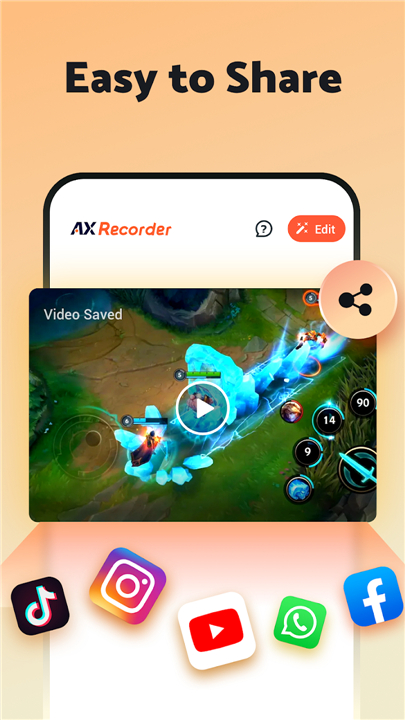
• Upload your polished, professional-quality videos directly from the app to platforms like YouTube and TikTok, ensuring your message reaches your audience effortlessly and instantly.
Important Considerations
• For optimal performance, ensure Floating Ball or Notification Bar permissions are enabled.
• Always respect privacy policies and regulations when recording content.
FAQ
Q: Will my recorded videos have an annoying watermark on them after I export?
A: You will be happy to know that AX Recorder allows you to create high-quality content that is completely free of watermarks. This ensures your videos look professional and clean from the very start, allowing your audience to focus entirely on your content without any distracting branding cluttering the frame.
Q: I want to capture game sounds; does AX Recorder support internal audio recording?
A: Yes, it certainly does, provided you are using a device running Android 10 or higher. You have the flexibility to record clear sound through internal system recording or use external audio inputs if you want to include your own narration along with your gameplay or app sounds.
Q: How can I add my own reactions or commentary to a screen recording while it is happening?
A: You can easily add a personal and engaging touch by using the Dynamic Facecam feature, which activates your front camera while you record the screen. This allows you to seamlessly integrate your facial expressions and live commentary directly into the video, which is an excellent way to connect with your viewers.
Version History
v2.5.0.0——20 May 2026
AX Recorder: Screen Recorder with Audio, HD Video & Game Recorder, No Lag. Download the latest version of Screen Recorder - AX Recorder to enjoy new features and updates immediately!
*2.5.0.0
New
- Voice Changer: Apply fun voice effects to mic recordings.
- Quick Record: Create custom recording shortcuts for faster access.
Update now for a smoother recording experience!
Email us: recorderax.feedback@gmail.com
*2.4.0.3
New
- Voice Changer: Apply fun voice effects to mic recordings.
- Quick Record: Create custom recording shortcuts for faster access.
Update now for a smoother recording experience!
Email us: recorderax.feedback@gmail.com
*2.4.0.2
New
- Voice Changer: Apply fun voice effects to mic recordings.
- Quick Record: Create custom recording shortcuts for faster access.
Update now for a smoother recording experience!
Email us: recorderax.feedback@gmail.com
- Version number2.5.0.0
- System Requirements5.0 and up
- Is there a feeFree(In game purchase items)
- AppSize27.68M
- AppLanguage English
- PublisherVideo Recorder & Photo Collage
- Package Namescreenrecorder.videoeditor.videorecorder
- MD5
- Content RatingTeenDiverse Content Discretion Advised
- Privilege19




-
Screen Recorder - AX Recorder 2.5.0.0Install
27.68M2026-09-13Updated










9.3
6714 Human Evaluation
- 5星
- 4星
- 3星
- 2星
- 1星