

Private DNS Quick Setting
- 8.9
3886Evaluation
- 6779+
downloads
- 16+
Over 16 years old
Private DNS Quick Setting
App Overview and Core Features
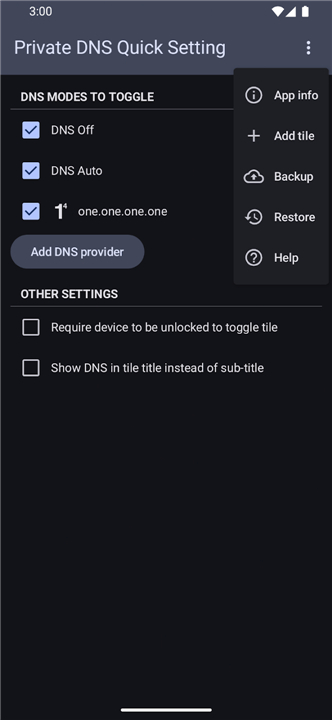
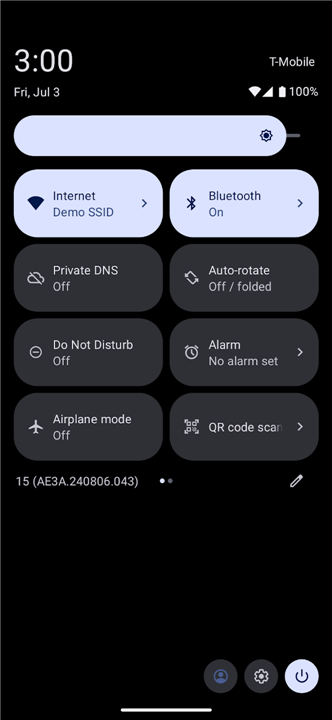
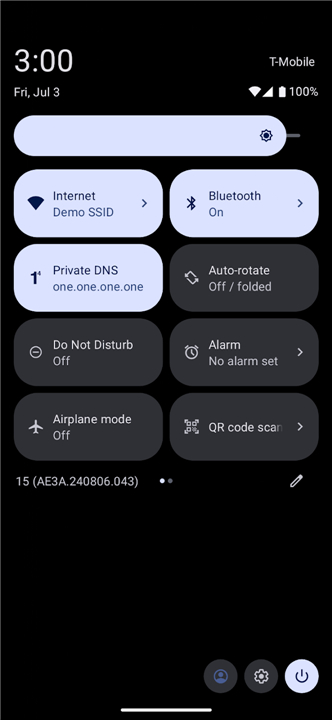
• Effortlessly manage and switch your Android device's Private DNS settings directly from your Quick Settings pull-down panel.
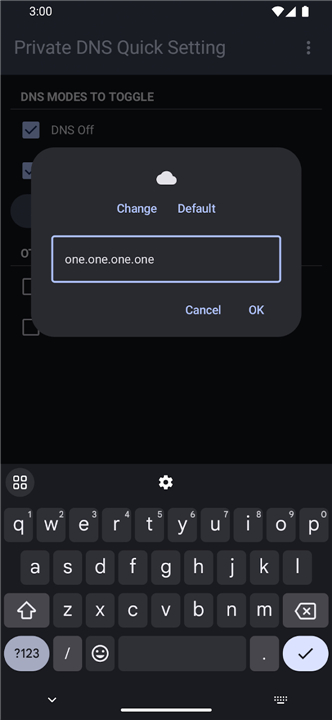
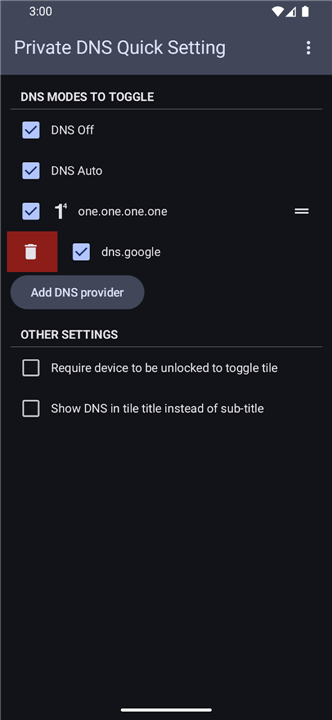
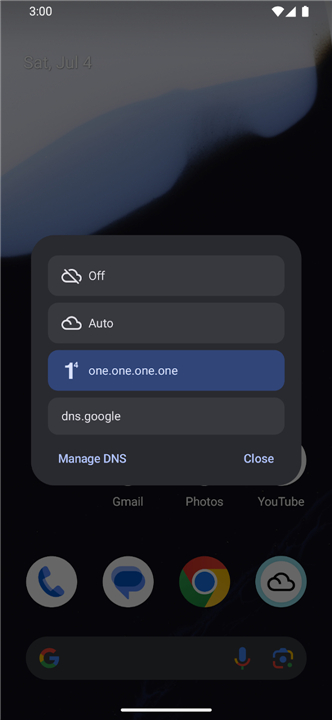
• Custom-configure your preferred DNS profiles within the app to quickly cycle between Off, Automatic, and Custom Private DNS modes.
• Streamline network privacy management without navigating deep into device settings menus.
Required System Permissions
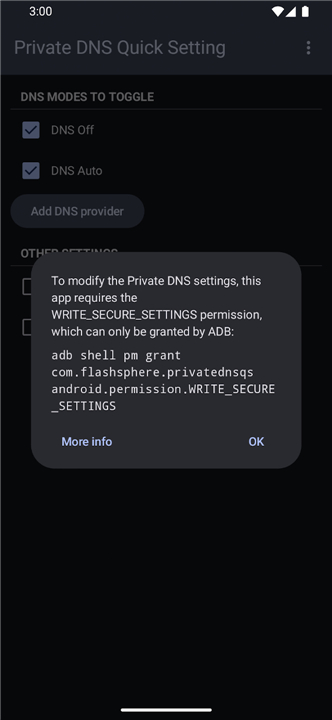
• Modifying system-level network configurations requires the advanced elevated permission: WRITE_SECURE_SETTINGS.
• Standard Android system prompts cannot grant this permission due to built-in security policies.
• You must grant this permission once during initial setup using either Shizuku or an ADB command line interface.
Option 1: Setup via Shizuku (Recommended for On-Device Setup)
• Download and install the Shizuku app from: https://shizuku.rikka.app/download/
• Initialize the Shizuku service by following the guide at: https://shizuku.rikka.app/guide/setup/#start-shizuku
• Launch the Private DNS Quick Setting app; the system will automatically prompt and grant the necessary permission.
Option 2: Setup via ADB (Android Debug Bridge)
• Connect your smartphone to a computer configured with ADB tools.
• Open a terminal or command prompt window on your computer.
• Run the following command to grant the required permission: adb shell pm grant com.flashsphere.privatednsqs android.permission.WRITE_SECURE_SETTINGS
• For a complete, step-by-step tutorial on using ADB for this app, visit the official help page at: https://private-dns-qs.web.app/help
FAQ
Q: Which Private DNS modes can I toggle using this app?
A: You can custom-configure your preferred DNS profiles within the app to quickly cycle between three core modes: Off, Automatic, and Custom Private DNS.
Q: Can I configure my own custom DNS profiles inside the application?
A: Yes, you can easily set up and custom-configure your preferred DNS profiles directly within the app interface. Once added, you can switch between them seamlessly using the Quick Settings tile.
Q: Why does the app require the WRITE_SECURE_SETTINGS permission?
A: Modifying system-level network configurations like Private DNS requires elevated system permissions for security reasons. The WRITE_SECURE_SETTINGS permission allows the app to change these system preferences on your behalf when you interact with the tile.
Version History
v2.4——17 Aug 2026
Toggle Private DNS from Quick Settings (needs Shizuku or ADB for initial setup) Download the latest version of Private DNS Quick Setting to enjoy new features and updates immediately!
*2.4
- Update Portuguese (Brazil) translation: thanks @yvso
- Update Chinese (Traditional Han script) translation: thanks @Unknownman820
*2.3
- Update translations
- Remove deprecated material-icons libs
- Don't show "Show in tile title" option for < Android 10
- Add option to show "DNS Auto" with inactive tile state
*2.2
- Update Turkish translations. Thanks @kyoyacchi
- Update dependencies
- Version number2.4
- System Requirements5.0 and up
- Is there a feeFree(In game purchase items)
- AppSize1.77M
- AppLanguage English
- PublisherSenxian Z
- Package Namecom.flashsphere.privatednsqs
- MD5
- Content RatingTeenDiverse Content Discretion Advised
- Privilege19
-
Private DNS Quick Setting 2.4Install
1.77M2026-10-28Updated










8.9
9720 Human Evaluation
- 5星
- 4星
- 3星
- 2星
- 1星