
Laminate Calculator
- 9.0
6856Evaluation
- 9997+
downloads
- 16+
Over 16 years old
Laminate Calculator
Understanding the Laminate Calculator System
• The laminate calculator is an essential digital tool designed to streamline the flooring installation process.
• By automating complex mathematical requirements, it ensures that homeowners and contractors alike can execute their projects with precision, minimizing waste and avoiding unnecessary trips to the supplier.
Calculating Total Laminate Requirements
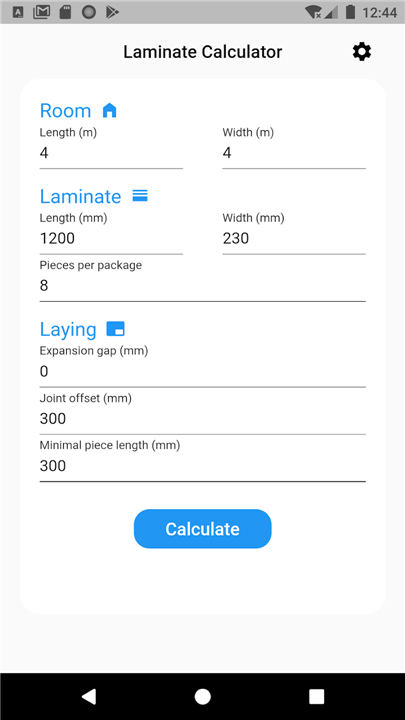
• The primary function of the calculator is to determine the exact quantity of materials needed for a specific space.
• To achieve accurate results, the system processes several key data points:
1. Total area dimensions:
+ By inputting the length and width of the room, the calculator determines the total square footage.
2. Waste factor allowance:
+ Professional projects typically require an additional 5% to 10% of material to account for cutting, pattern matching, and potential damage during installation.
3. Product specifications:
+ The calculator integrates the specific dimensions of chosen laminate planks, including width, length, and the total coverage area per package.
4. Subtotal generation:
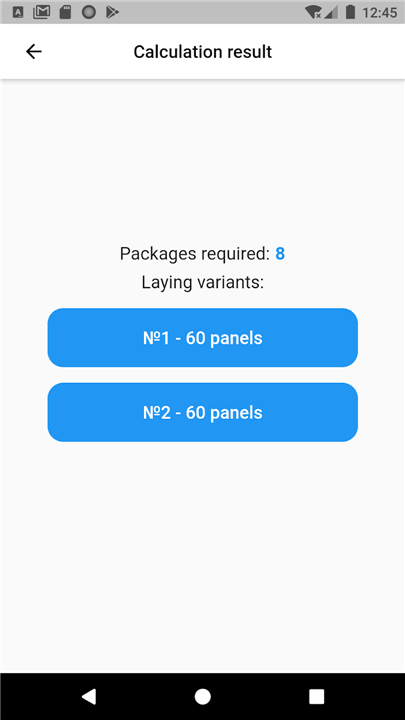
+ After accounting for these variables, the tool provides a definitive count of individual boards and total boxes required for the project.
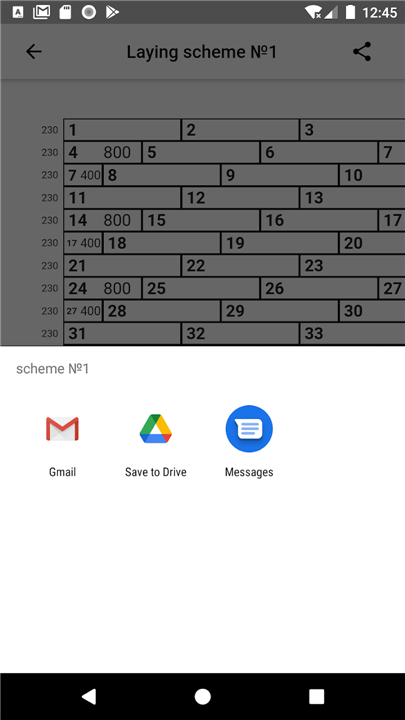
Optimizing the Laying Scheme
• Beyond simple quantification, the calculator often assists in visualizing the architectural flow of the room.
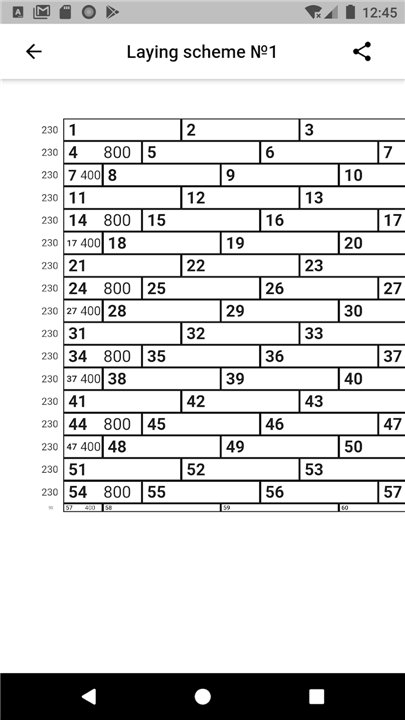
• A well-planned laying scheme is vital for aesthetic appeal and structural integrity:
1. Directional orientation:
+ Users can determine whether to lay planks parallel or perpendicular to the longest wall, or choose a diagonal orientation to expand the visual depth of the room.
2. Staggering patterns:
+ The tool helps calculate the necessary offset for joints, ensuring that ends of the planks are distributed randomly to prevent weak points and enhance the natural look of the floor.
3. Starting point analysis:
+ It provides guidance on where to begin the installation to ensure symmetry and avoid thin, awkward slivers of laminate at the room's edges.
Exporting and Documentation
• Efficient project management requires clear documentation.
• The export-to-PDF feature translates the digital plan into a professional reference sheet:
1. Comprehensive summary:
+ The document captures the exact number of boxes, the total area covered, and the estimated waste margin.
2. Visual layout guide:
+ It provides a printed reference of the installation pattern, helping installers stay consistent throughout the process.
3. Procurement readiness:
+ The PDF serves as a formal list to take to a supplier, ensuring that all necessary materials—including transition strips, underlayment, and specific laminate batches—are ordered correctly.
FAQ
Q: What specific information do I need to provide for the calculator to work accurately?
A: To get the most precise results, you will need to input the length and width of the room to determine the total square footage. Additionally, you should have the specifications for your chosen laminate product on hand, including the plank width, length, and the total area coverage provided by a single package.
Q: Why does the system suggest adding a waste factor to my total order?
A: Professional installers always include a waste factor, typically between five and ten percent, because no room is perfectly square and every project involves cutting boards to fit edges. This extra allowance accounts for the material lost during cutting, pattern matching, and any accidental damage that might occur during the installation process.
Q: How does the tool help me understand the difference between individual boards and boxes?
A: The calculator performs a subtotal generation that translates your total area into a definitive count of both individual boards and full boxes. This is particularly helpful because laminate is almost always sold by the box, so knowing the exact box count ensures you are fully prepared for procurement at the supplier.
Version History
v1.2——4 May 2026
Simple handy laminate calculator Download the latest version of Laminate Calculator 1.2 to enjoy new features and updates immediately!
*1.2
Minor bug fixes and improvements. Install or update to the newest version to check it out!
*1.1.1
Minor bug fixes and improvements. Install or update to the newest version to check it out!
*1.1
Minor bug fixes and improvements. Install or update to the newest version to check it out!
- Version number1.2
- System Requirements5.0 and up
- Is there a feeFree(In game purchase items)
- AppSize1.72M
- AppLanguage English
- PublisherAleksey Vasyukov
- Package Namecom.floor_calculator.host
- MD5
- Content RatingTeenDiverse Content Discretion Advised
- Privilege19
-
Laminate Calculator 1.2Install
1.72M2026-09-14Updated










9.0
999 Human Evaluation
- 5星
- 4星
- 3星
- 2星
- 1星