

EinkBro
- 7.9
2156Evaluation
- 5207+
downloads
- 16+
Over 16 years old
EinkBro
A Browser Built for E‑Ink Screens
1. Reading comfort
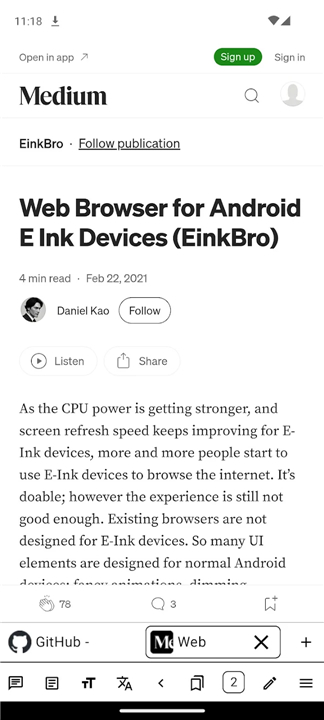
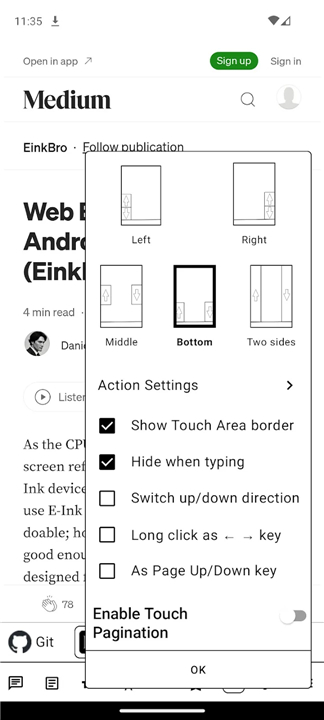
• Turn pages by tapping screen edges or using volume keys
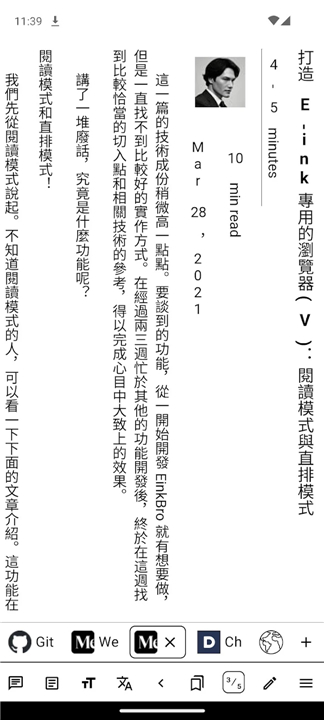
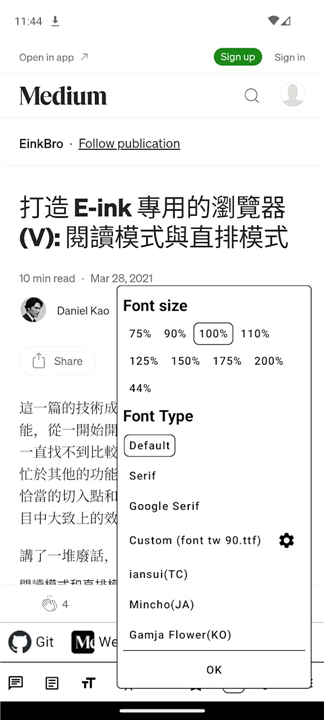
• Reader mode with clean typography and adjustable font size
• Vertical layout for CJK languages
• Custom fonts, bold toggle, high‑contrast icons, and no distracting animations
2. AI‑powered features
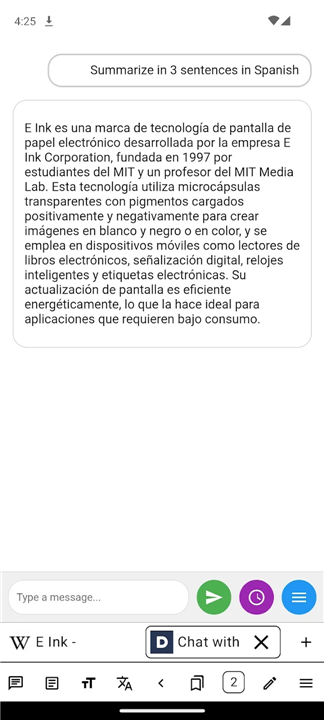
• Chat with the current page, get summaries, or run multi‑step agents
• Natural‑sounding text‑to‑speech for hands‑free reading
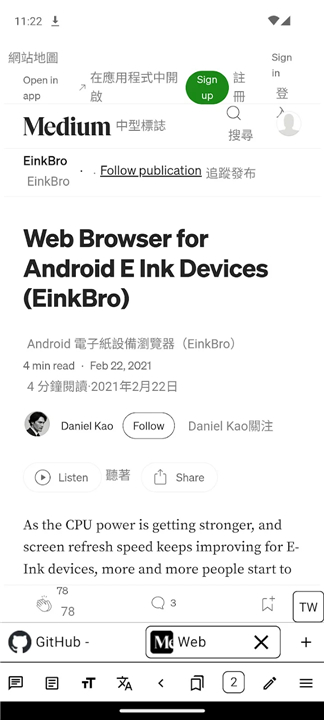
• Paragraph‑by‑paragraph or side‑by‑side translation
• Compatible with OpenAI, Gemini, Ollama, and custom servers
3. User‑script support
• Built‑in Tampermonkey‑style engine runs community scripts (e.g., Greasy Fork)
• Full GM API access, per‑script menus, automatic URL matching, and updates
4. Saving & exporting
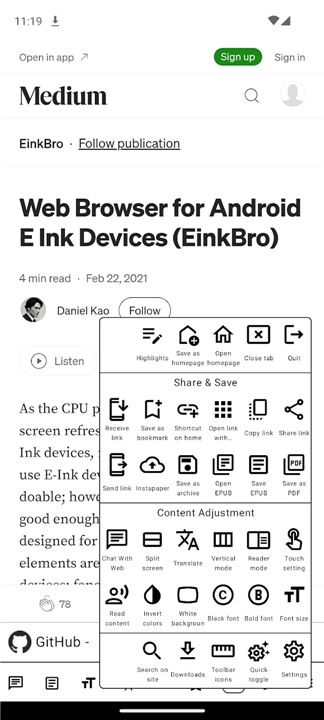
• Export pages as EPUB with chapters and images
• Save as PDF with table‑of‑contents or append to existing files
• Archive as MHT, capture full‑page screenshots, or send to Instapaper
5. Customizable interface
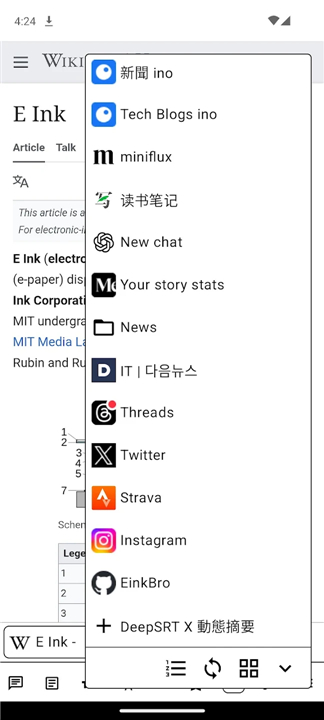
• 40+ toolbar actions you can drag‑reorder
• Place the toolbar at top, bottom, or side for one‑hand use
• Split‑screen view, floating navigation button, advanced gestures
• Unlimited tabs and fullscreen browsing
6. Privacy & security
• Built‑in ad blocker
• JavaScript and cookie whitelists, tracking‑parameter pruning
• Incognito mode and per‑site desktop mode
Required permissions
• INTERNET – essential for browsing
• READ_EXTERNAL_STORAGE / WRITE_EXTERNAL_STORAGE – for saving PDFs, EPubs, and downloads
• INSTALL_SHORTCUT – to add web shortcuts to the home screen
• ACCESS_FINE_LOCATION / ACCESS_COARSE_LOCATION – only when a site requests location data
Enhance Your Reading Experience on E-ink Devices
• EinkBro blends speed, simplicity, and smart tools to turn any E‑Ink device into a powerful, distraction‑free reading and productivity companion.
FAQ
Q: How does EinkBro improve reading comfort compared to a regular browser?
A: The browser offers several reading‑friendly features: you can turn pages by tapping the left or right screen edges or using the device’s volume keys, switch to a reader mode that presents text with adjustable font size and clean typography, enable vertical layout for CJK languages, load custom fonts, toggle bold styling, and use high‑contrast icons while disabling distracting animations. These options let you tailor the visual experience to your preferences and reduce eye strain.
Q: Can I interact with the page content using AI in EinkBro?
A: Yes. EinkBro integrates AI‑powered capabilities that let you chat with the currently loaded page, request concise summaries, or invoke multi‑step agents that can perform tasks like extracting information or filling forms. It also provides natural‑sounding text‑to‑speech for hands‑free listening, paragraph‑by‑paragraph or side‑by‑side translation, and works with various backends including OpenAI, Gemini, Ollama, and custom servers you can configure.
Q: What user‑script support does EinkBro provide?
A: EinkBro includes a built‑in Tampermonkey‑style engine that can run community scripts from sources like Greasy Fork. It offers full access to the Greasemonkey API, per‑script configuration menus, automatic URL matching, and automatic update checks, so you can enhance sites with custom functionality without needing a separate extension manager.
Version History
v16.4.1——26 Aug 2026
EinkBro – fast E‑ink browser with reading comfort, AI chat, scripts & PDF export. Boost your e‑ink experience today. Speed, private. Download the latest version of EinkBro to enjoy new features and updates immediately!
*16.4.1
Minor bug fixes and improvements. Install or update to the newest version to check it out!
*16.4.0
Minor bug fixes and improvements. Install or update to the newest version to check it out!
*16.3.2
Minor bug fixes and improvements. Install or update to the newest version to check it out!
- Version number16.4.1
- System Requirements5.0 and up
- Is there a feeFree(In game purchase items)
- AppSize4.21M
- AppLanguage English
- PublisherDaniel Kao
- Package Nameinfo.plateaukao.einkbro
- MD5
- Content RatingTeenDiverse Content Discretion Advised
- Privilege19
-
EinkBro 16.4.1Install
4.21M2026-10-28Updated










7.9
4240 Human Evaluation
- 5星
- 4星
- 3星
- 2星
- 1星