

Draw Cartoons 2: Learn&Animate
- 8.4
1750Evaluation
- 3337+
downloads
- 16+
Over 16 years old
Draw Cartoons 2: Learn&Animate
Your Pocket Animation Studio
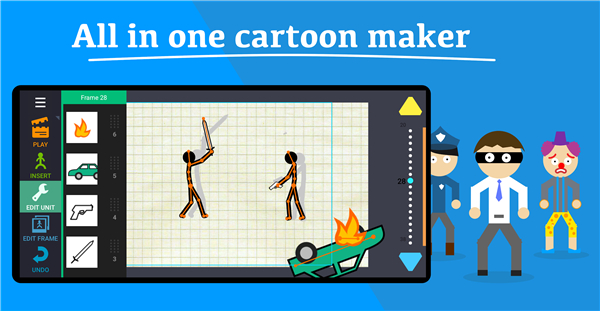
• Forget tedious frame-by-frame sketching.
• Draw Cartoons 2 turns your smartphone into a high-powered animation desk, whether you are a seasoned creative or someone who struggles to draw a straight line.
Animation Made Effortless
• Skeletal Magic: Move characters like puppets; no need to redraw them for every motion.
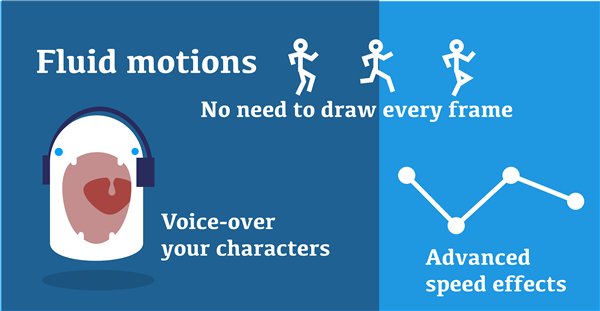
• Smooth Motion: Set your keyframes and let the app handle the filler work.
• Drag-and-Drop: If you can move a mouse or tap a screen, you can direct a masterpiece.
Build Your World
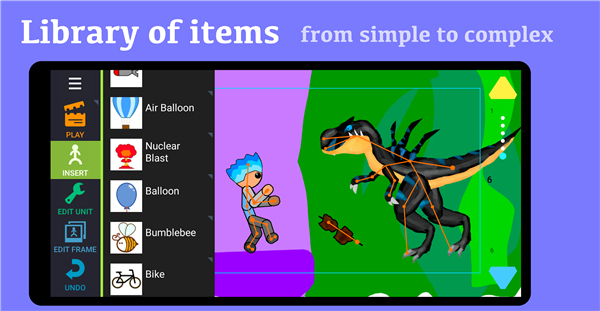
• Deep Catalog: Access a massive library of ready-to-use characters, weapons, props, and backdrops.
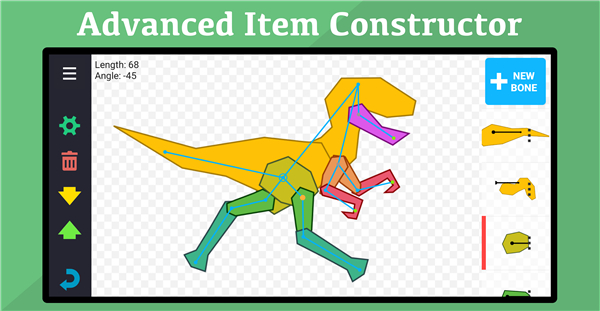
• Creative Freedom: Use the Item Constructor to build custom characters from scratch.
• Cinematic Flair: Utilize professional camera pans, zooms, and dramatic speed adjustments to give your scenes real punch.
Who Is This For?
• Aspiring Creators: Perfect for making memes or social media content that actually stands out.
• Educators: A fantastic, non-intimidating way to introduce students to the principles of movement.
• Future Storytellers: A safe, fun space for kids, teens, and hobbyists to bring their wildest ideas to life.
Unlock the Full Potential
• Go Premium to remove ads, gain access to an expanded library of assets, and unlock unlimited video exports for your channel.
Why Choose Draw Cartoons 2?
• Stop wrestling with complex, professional software that requires a degree to operate.
• We provide the tools for high-quality production without the learning curve.
• With frequent updates and a growing community of assets, your only limit is your own imagination.
Download Draw Cartoons 2 and get to work
• Stop watching cartoons and start directing them.
FAQ
Q: Can I import my own custom artwork into the app?
A: Yes, you can absolutely use your own artistic creations. The Item Constructor tool is specifically designed to let you build characters or props from scratch, allowing you to import your personal drawings and rig them with skeletons so they become fully functional, movable assets in your scenes.
Q: What is the best way to make motions look smoother without animating every frame?
A: The secret lies in mastering keyframes. By setting your primary start and end positions, you let the software handle the filler frames in between. To achieve the best results, experiment with the timing of your keyframes, as placing them closer together creates faster, punchier movements, while spacing them out creates deliberate, slower motions.
Q: How do I utilize the camera tools to make my animations look more cinematic?
A: You can enhance the professional feel of your projects by using the camera features to pan across a wide background or zoom in during dramatic dialogue. By combining these camera movements with speed adjustments, you can create a real sense of dynamic tension and cinematic flair that keeps your audience engaged.
Version History
v0.5.15——6 Jul 2026
Draw Cartoons 2: Learn&Animate is a 2D animation app that lets beginners and creators build characters, animate scenes, and export videos easily. Download the latest version of Draw Cartoons 2: Learn&Animate to enjoy new features and updates immediately!
*0.5.15
Tweening settings for camera and background
*0.5.13
Tweening settings for camera and background
*0.5.9
Fixed some unpleasant bugs
- Version number0.5.15
- System Requirements5.0 and up
- Is there a feeFree(In game purchase items)
- AppSize162.62M
- AppLanguage English
- PublisherZaliv Armenia
- Package Namecom.zalivka.animation2
- MD5
- Content RatingTeenDiverse Content Discretion Advised
- Privilege19
-
Draw Cartoons 2: Learn&Animate 0.5.15Install
162.62M2026-10-28Updated










8.4
6976 Human Evaluation
- 5星
- 4星
- 3星
- 2星
- 1星