
Document Scanner - PDF Creator
- 9.3
8464Evaluation
- 7713+
downloads
- 16+
Over 16 years old
Document Scanner - PDF Creator
Your Office in Your Pocket
• Stop letting paper clutter and last-minute scanning emergencies slow you down.
• Whether you are managing professional contracts or personal records, our scanner turns your smartphone into a high-powered, portable document powerhouse.
• Experience the freedom of digitizing your world anytime, anywhere.
Why Choose Our Scanner?
• Total Portability: Carry your entire filing system in your pocket. No bulky equipment required.
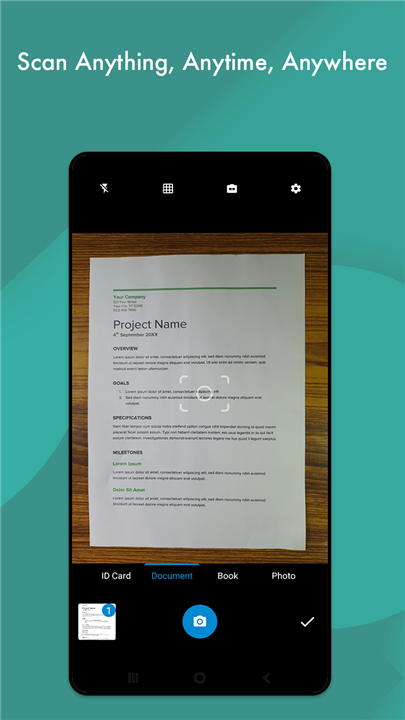
• Professional Quality: Use smart cropping, auto-enhancement, and noise reduction to turn crumpled papers into crisp, professional-grade PDFs.
• Organizational Mastery: Keep your life tidy with custom folders and subfolders.
• Limitless Versatility: Scan receipts, whiteboards, or old photos with ease. Our app handles everything from high-contrast B/W to full-color documents.
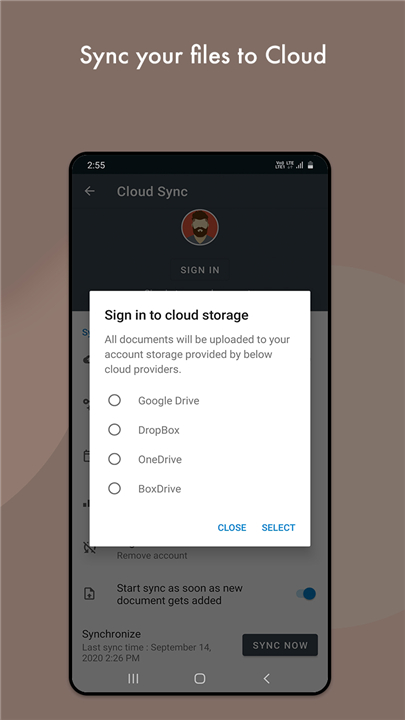
• Seamless Integration: Instantly sync your files to the cloud (Google Drive, Dropbox), print directly, or fax files without needing a computer.
Key Features at a Glance
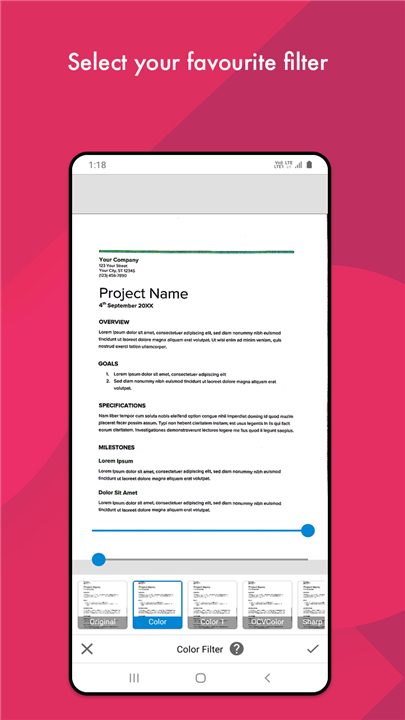
• Advanced Image Processing: Automatic edge detection, intelligent filters, and multi-mode optimization (Lighten, Gray, Dark, B/W).
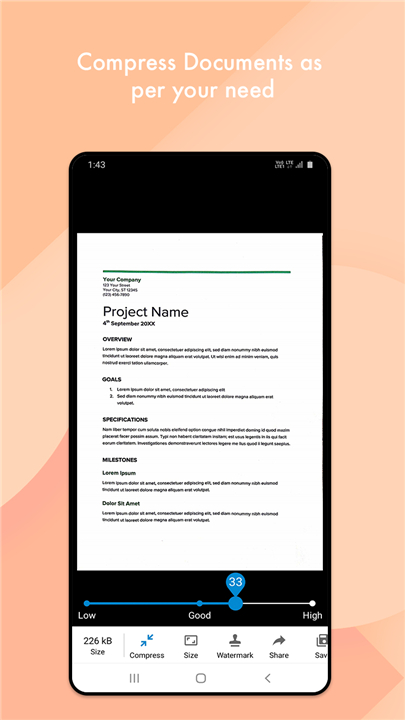
• Format Flexibility: Create PDFs in any size, from A1 to Postcard or custom letter formats.
• Image-to-PDF Conversion: Instantly transform your gallery images into professional PDF documents.
• Built-in Utilities: Integrated QR code and Barcode scanners make data retrieval faster than ever.
• Offline Functionality: Work from anywhere—your scans are processed locally, so you don't need an internet connection to get the job done.
• Low-Light Ready: Built-in flashlight support ensures you capture clear images even in dim environments.
Future-Ready
• We are constantly evolving.
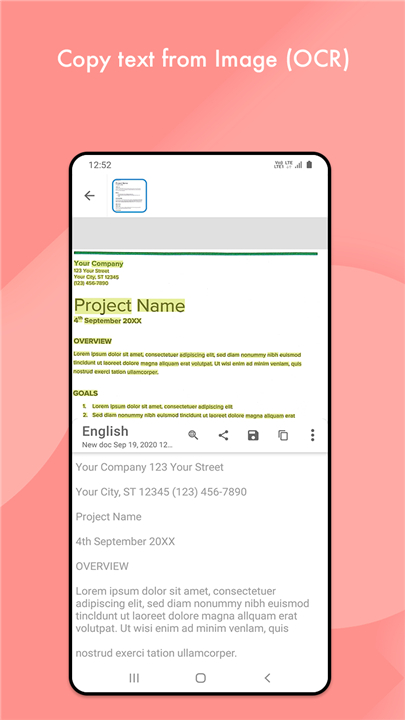
• Look forward to our upcoming update featuring OCR (Optical Character Recognition), which will allow you to extract, edit, and share text directly from your scanned images.
Join Our Community
• We strive to make this tool accessible to everyone.
• If you would like to help us translate the app into your language, please contribute here: Translation Portal
Transform your workflow today
• Download the ultimate mobile scanner and experience the difference.
FAQ
Q: Can I improve the quality of a scan if the original paper is crumpled or dim?
A: Absolutely, our app is designed to handle imperfections through advanced image processing. Once you capture an image, you can apply our intelligent filters and auto-enhancement tools to remove noise and sharpen the text, making even wrinkled documents look clean and professional.
Q: Is it possible to scan documents directly from my existing photo gallery?
A: Yes, you can easily transform your existing library into organized paperwork. Our image-to-PDF conversion feature allows you to select photos from your device's gallery and instantly convert them into high-quality, professional PDF documents.
Q: How does the app handle different document sizes?
A: Our scanner offers immense flexibility regarding document dimensions. You can create PDFs in a wide variety of standard sizes, ranging from large A1 sheets down to small postcards, and you also have the option to set custom letter formats to suit your specific needs.
Version History
v6.9.9——25 Jun 2026
Document Scanner - PDF Creator is a mobile scanning app that turns your phone into a document digitizer. Download the latest version of Document Scanner - PDF Creator to enjoy new features and updates immediately!
*6.9.9
• New premium document filters
• Smarter Split with advanced options
• Pin documents for quick access
• Search Settings faster
• Improved date & time settings
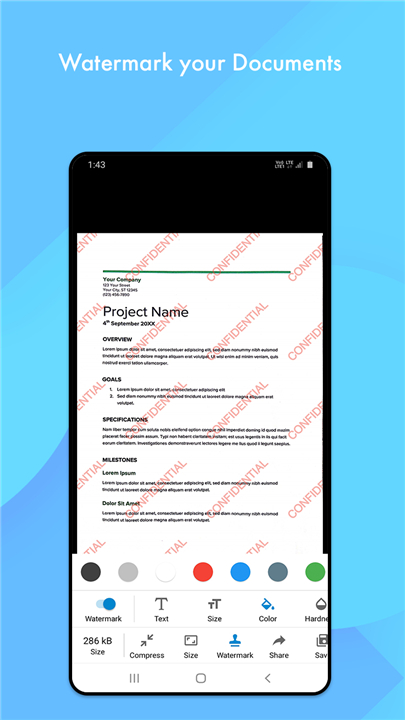
• New image watermark tool
• Set a default folder for new scans
• Apply crop to all pages added.
• Improved crop performance and fixed related issues.
• Bug fixes and performance improvements
*6.9.7
• New premium document filters
• Smarter Split with advanced options
• Pin documents for quick access
• Search Settings faster
• Improved date & time settings
• New image watermark tool
• Set a default folder for new scans
• Apply crop to all pages added.
• Improved crop performance and fixed related issues.
• Bug fixes and performance improvements
*6.9.4
• New premium document filters
• Smarter Split with advanced options
• Pin documents for quick access
• Search Settings faster
• Improved date & time settings
• New image watermark tool
• Set a default folder for new scans
• Apply crop to all pages added.
• Improved crop performance and fixed related issues.
• Bug fixes and performance improvements
- Version number6.9.9
- System Requirements5.0 and up
- Is there a feeFree(In game purchase items)
- AppSize64.25M
- AppLanguage English
- PublisherLUFICK TECHNOLOGY PRIVATE LIMITED
- Package Namecom.cv.docscanner
- MD5
- Content RatingTeenDiverse Content Discretion Advised
- Privilege19
-
Document Scanner - PDF Creator 6.9.9Install
64.25M2026-09-13Updated










9.3
8003 Human Evaluation
- 5星
- 4星
- 3星
- 2星
- 1星