

BroadBoard
- 9.0
1676Evaluation
- 4468+
downloads
- 16+
Over 16 years old
BroadBoard
Overview
• BroadBoard is a specialized on-screen keyboard and Input Method Editor (IME) meticulously crafted for individuals with low vision or visual impairments.
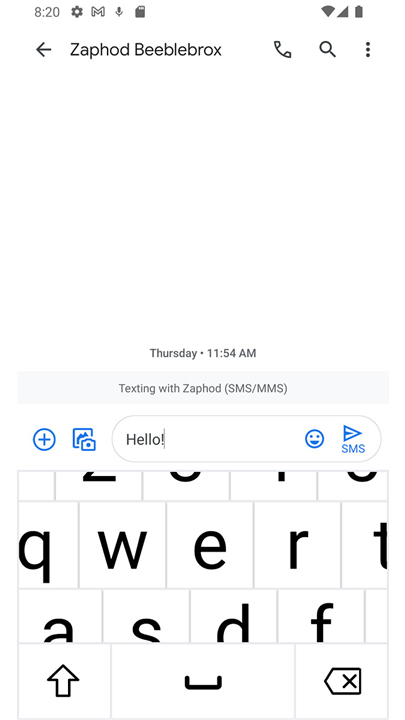
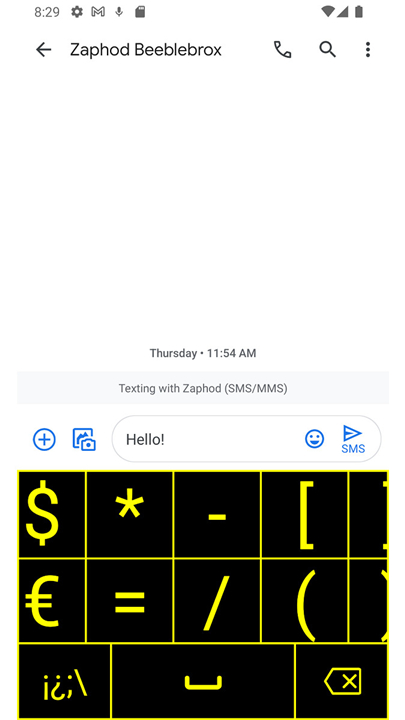
• Conventional mobile keyboards often compromise legibility by shrinking keys to fit the width of the screen. BroadBoard eliminates this issue by utilizing a scrollable canvas.
• This design ensures every key remains oversized and easy to read; users simply pan across the interface to reach the characters they need, prioritizing clarity over static layout constraints.
Key Features
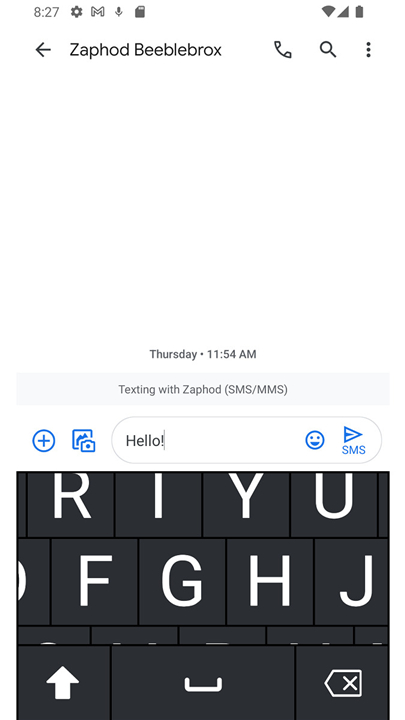
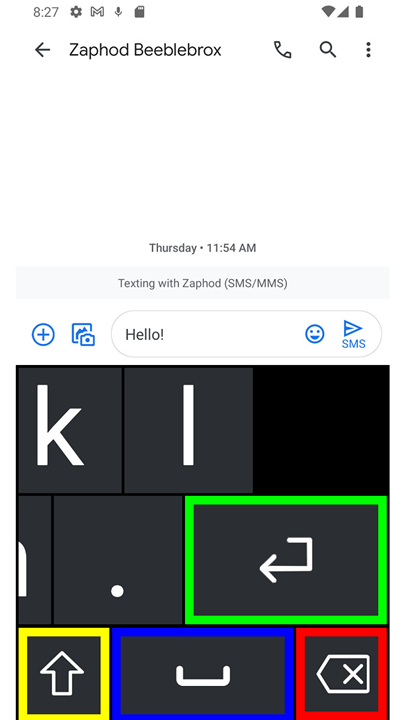
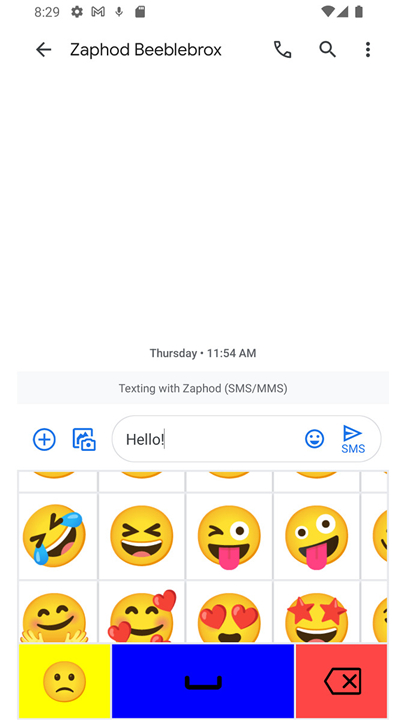
• Large, Panning Interface: Features high-contrast, oversized keys on a scrollable surface to maximize visibility and ease of use.
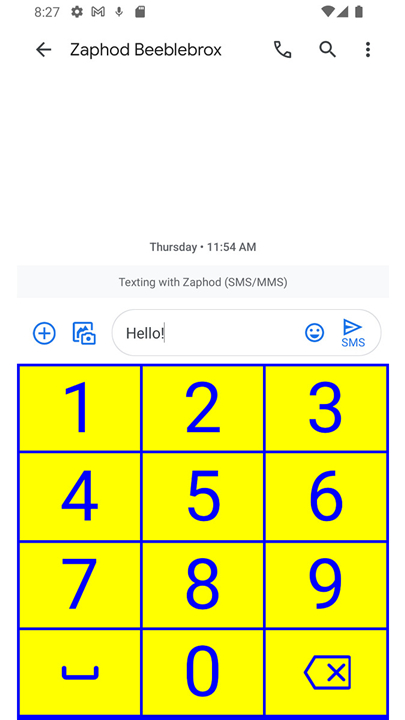
• Customizable Visuals: Offers multiple color themes, including extra-dark modes for OLED efficiency and high-visibility options for varying light conditions.
• Dynamic Scaling: Users can adjust keyboard height and key dimensions up to extra-large sizes to meet specific visual requirements.
• Tactile Responses: Includes optional haptic feedback to provide physical confirmation for each keystroke.
• Accessibility Integration: Fully compatible with screen readers and supports a wide variety of global locales and keyboard layouts.
Privacy and Security
• Local Processing: BroadBoard collects no user data and processes all input locally on the device.
• No Internet Access: The application does not require internet permissions, meaning nothing you type can be transmitted to external servers.
• Transparent Design: The software contains no advertisements, no third-party analytics, and no tracking components.
Installation and Setup
• Open the device Settings menu and navigate to System.
• Select Languages and Input, then tap On-screen Keyboard.
• Choose Manage Keyboards and toggle BroadBoard to the Enable position.
• To start typing, open any app and select BroadBoard via the keyboard picker icon in the navigation bar or by long-pressing the spacebar.
• Users can also launch the BroadBoard app directly from the app drawer for guided links to these configuration menus.
FAQ
Q: How does BroadBoard's layout differ from standard mobile keyboards?
A: Standard mobile keyboards shrink their keys to fit the narrow width of a phone screen, which often makes them hard to see and tap. BroadBoard changes this by placing oversized keys on a scrollable canvas, which allows you to pan across the board to find characters rather than squinting at tiny, squeezed keys.
Q: Can I change the look of the keyboard to suit my specific visual preferences?
A: Yes, you can easily customize the visuals to match your personal needs. BroadBoard offers multiple color themes, including extra-dark modes that are excellent for OLED screens and high-visibility color schemes that make keys stand out in any lighting condition.
Q: Does BroadBoard support keys larger than the standard layout?
A: Absolutely, because BroadBoard features dynamic scaling. You can adjust the keyboard height and the physical dimensions of the keys up to extra-large sizes, tailoring the layout to your specific visual requirements.
Version History
v2.2——14 Sep 2026
A keyboard for people with low vision Download the latest version of BroadBoard to enjoy new features and updates immediately!
*2.2
New cursor navigation mode
New extra small size
Support for Czech, Hungarian, Romanian, and Slovak
*2.1
- Added more language support
- Various bug fixes
*2.0
- New extra dark mode
- New extra large size
- Optional menu bar for easier mode switching
- Natural layout spacing is now optional
- New support for Greek and Russian
- Version number2.2
- System Requirements5.0 and up
- Is there a feeFree(In game purchase items)
- AppSize3.93M
- AppLanguage English
- PublisherAnthony Benbrook
- Package Namecom.galagidae.broadboard
- MD5
- Content RatingTeenDiverse Content Discretion Advised
- Privilege19
-
BroadBoard 2.2Install
3.93M2026-09-15Updated










9.0
1166 Human Evaluation
- 5星
- 4星
- 3星
- 2星
- 1星