

Site24x7
- 9.8
2400Evaluation
- 1880+
downloads
- 16+
Over 16 years old
ManageEngine Site24x7 is a comprehensive, cloud-based observability platform designed for DevOps and IT operations teams. It delivers real-time monitoring, advanced analytics, and actionable insights to ensure optimal performance across digital infrastructure.
Real-Time Monitoring and Instant Alerts
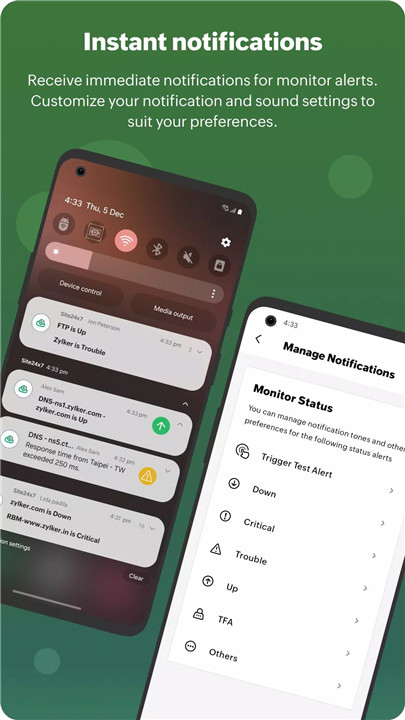
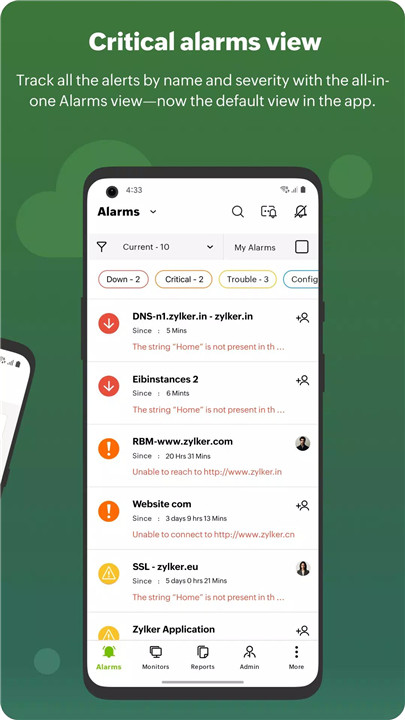
Site24x7 provides instant notifications for performance issues, outages, and anomalies. Users can monitor system statuses such as Up, Down, Trouble, or Critical, and take immediate action using built-in IT automation tools. The Test Alert feature ensures that notification systems are functioning correctly.
Root Cause Analysis and Incident Management
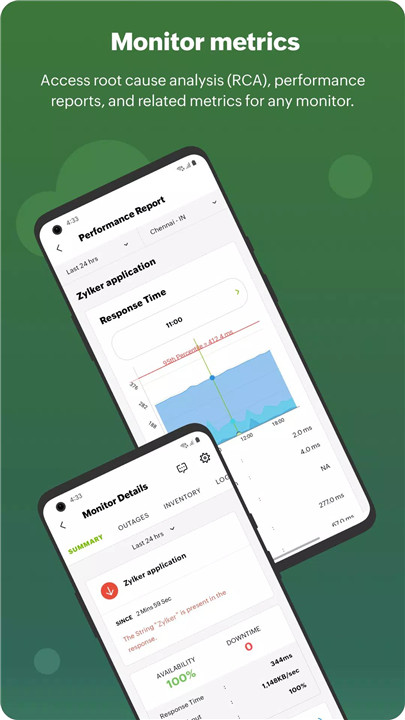
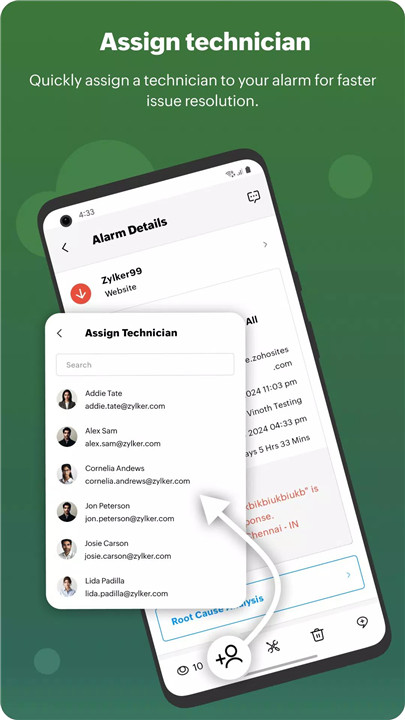
Detailed root cause analysis (RCA) reports help identify the source of issues quickly. Users can add comments, collaborate via incident chat, assign technicians, and track resolution progress, ensuring faster incident management.
Comprehensive Reporting and Insights
The app delivers detailed availability, SLA, downtime, and performance reports for all monitored resources. Outage histories and KPI tracking provide valuable insights into system health and operational efficiency.
AI-Powered Anomaly Detection
The Anomaly Dashboard leverages AI to detect unusual patterns in system performance. This proactive approach helps prevent potential failures and maintain system stability.
Unified Dashboards and Widgets
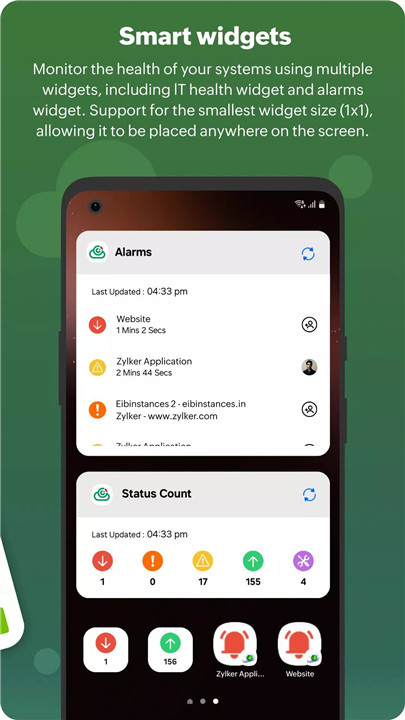
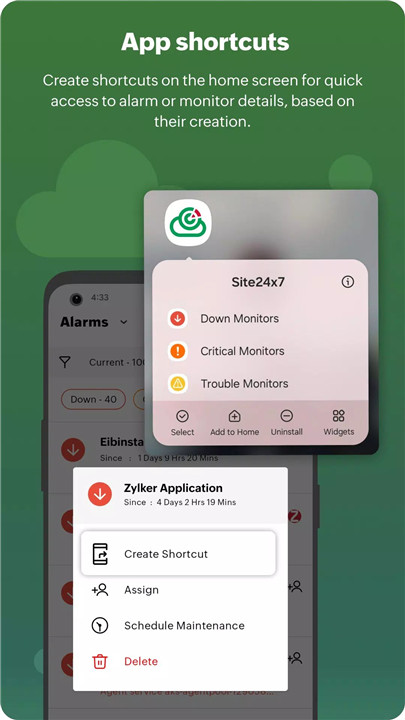
Visual dashboards display real-time metrics using charts and customizable widgets such as alarms, status indicators, and statistics. Alarm shortcuts allow quick access to critical alerts directly from the home screen.
Multi-Account and Multi-Environment Management
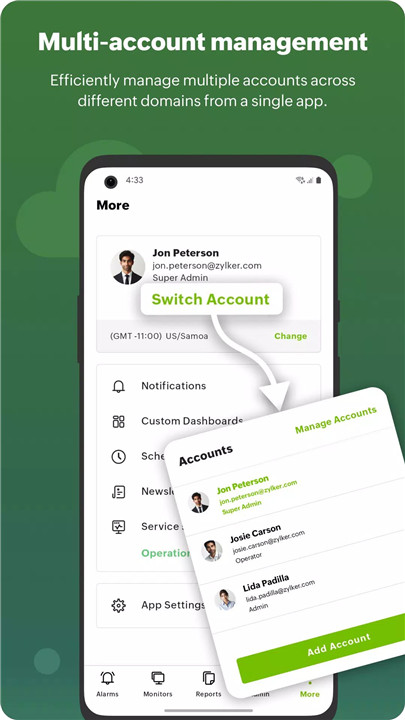
Users can log in to multiple accounts and manage different data centers effortlessly. The app supports monitoring across hybrid, private, and public cloud environments, including Azure and GCP.
SLA and Maintenance Management
Efficient SLA tracking and scheduled maintenance management ensure smooth operations. Known alerts can be marked as maintenance to avoid unnecessary escalations during planned activities.
Extensive Monitoring Capabilities
Site24x7 supports website monitoring, server monitoring, application performance monitoring, network monitoring, and container monitoring. It also tracks end-user experience through synthetic and real user monitoring.
Personalization and Accessibility
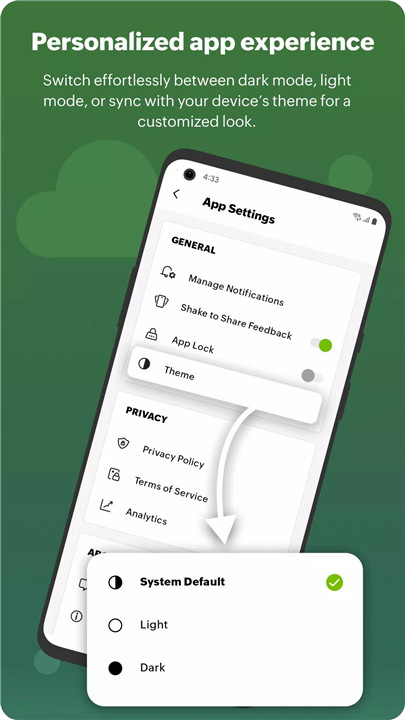
The app offers light and dark themes for a personalized interface. Time zone settings and location-based availability tracking ensure accurate monitoring across global systems.
Administrative Control and Flexibility
Users can add monitors, perform administrative actions, and manage configurations directly from the app. This flexibility ensures complete control over monitoring operations while on the move.
FAQs
Q1: What systems can be monitored using Site24x7?
Site24x7 supports monitoring of websites, servers, applications, networks, cloud platforms, containers, and end-user experiences.
Q2: How does the app help in resolving incidents?
It provides instant alerts, root cause analysis, technician assignment, and collaboration tools to ensure quick issue resolution.
Q3: Can multiple accounts and data centers be managed?
Yes, users can manage multiple accounts and monitor different data centers from a single mobile interface.
Q4: Does Site24x7 provide performance reports?
Yes, it offers detailed reports including SLA tracking, downtime analysis, and performance insights.
Q5: How does anomaly detection work in Site24x7?
AI-powered algorithms analyze system behavior to detect unusual patterns and alert users before issues escalate.
Version History
v5.0.9—20 Jan, 2026
Bug fixes and performance enhancements
v5.0.7—23 Nov, 2025
Bug fixes and Performance Enhancements.
v5.0.5—29 Jun, 2025
The latest update to the Site24x7 Android app gives you more flexibility and control.
With edit navigation, you can rearrange bottom tabs and set default sub-list views for each section to match your workflow.
The Trigger Test Alert option is now under More Settings, allowing alert simulation across all configured channels.
This release also includes key crash and bug fixes, along with memory optimizations for a smoother experience.
Enhance your monitoring—download the latest update now.
- Version number5.0.9
- System Requirements5.0 and up
- Is there a feeFree(In game purchase items)
- AppSize19.00M
- AppLanguage English
- PublisherZoho Corporation
- Package Namecom.adventnet.webmon.android
- MD5
- Content RatingTeenDiverse Content Discretion Advised
- Privilege19
-
Site24x7 5.0.9Install
19.00M2026-03-19Updated










9.8
5917 Human Evaluation
- 5星
- 4星
- 3星
- 2星
- 1星