
Paint and Draw
- 9.6
8207Evaluation
- 3867+
downloads
- 16+
Over 16 years old
Paint and Draw is a dynamic Android application designed for users who love painting, sketching, and exploring their creativity. With a focus on fun, imagination, and artistic expression, this app offers an endless canvas for users to create unique artwork. Its intuitive interface and versatile tools make it accessible for both beginners and experienced artists.
Attractive and Intuitive Interface
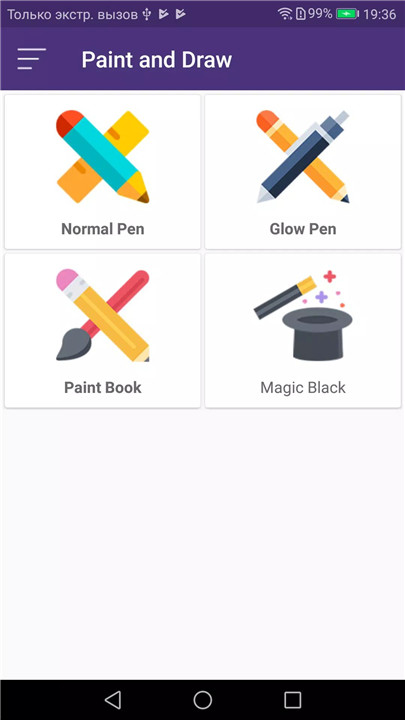
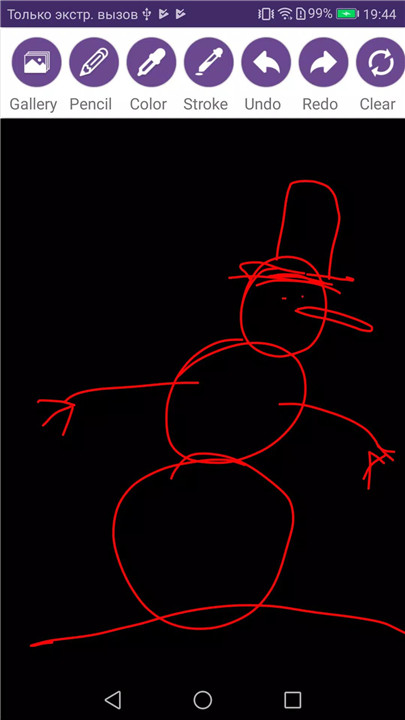
Paint and Draw features a clean, modern interface with Material Design, making it easy to navigate and focus on creating art. The intuitive layout ensures that all tools are easily accessible, providing a smooth and enjoyable drawing experience.
Comprehensive Drawing Tools
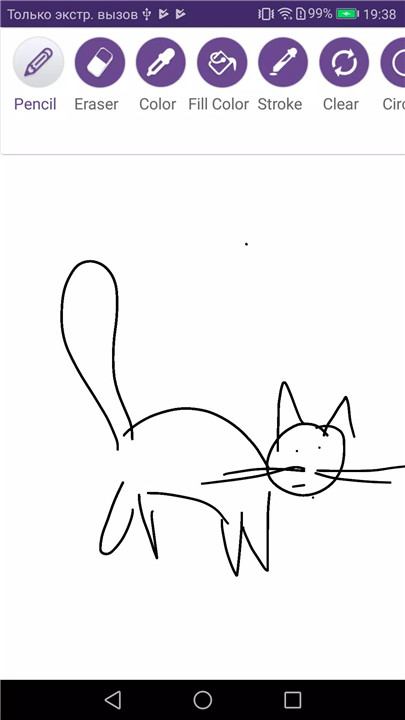
The app includes all essential painting tools such as pencils, erasers, color pickers, and stroke size adjustments. Users can select different brush sizes and styles to achieve a variety of effects, from fine lines to bold strokes.
Shapes and Design Options
Users can enhance their drawings with multiple shapes including circles, rectangles, ovals, and more. This feature allows for structured designs, geometric art, or creative compositions.
Color Picker
Paint and Draw includes a versatile color picker, enabling users to choose from a wide range of colors to match their artistic vision. Customizing colors helps bring imagination to life and adds depth and vibrancy to each drawing.
Editor Tools for Precision
The app offers tools for precise editing, including pencil, eraser, stroke size adjustments, and a clear canvas option. These tools make it simple to correct mistakes, refine details, or start over with a fresh canvas.
Save and Share Creations
Artwork created in Paint and Draw can be easily saved in high quality and shared across social media, messaging apps, or email. This ensures that every masterpiece can be preserved or showcased to friends, family, and followers.
PSD Design Support
Paint and Draw supports PSD design formats, making it compatible with other digital art tools. Users can continue their work in professional software or import PSD files to enhance their projects further.
Endless Creative Possibilities
Whether creating simple sketches, complex illustrations, or abstract designs, Paint and Draw provides an open platform for imagination to flourish. The app encourages creativity, experimentation, and self-expression in a fun and engaging way.
FAQs
Q1: What is Paint and Draw?
Paint and Draw is an Android app for painting, sketching, and creating digital artwork using a variety of tools and colors.
Q2: What tools are included in the app?
The app offers pencils, erasers, color pickers, stroke size adjustments, shapes, and clear canvas options for precise editing.
Q3: Can I save and share my artwork?
Yes, users can save their creations in high quality and share them through social media, email, or messaging apps.
Q4: Are there options for shapes and design?
Yes, the app includes multiple shapes like circles, rectangles, and ovals to enhance artistic designs and compositions.
Q5: Does Paint and Draw support PSD files?
Yes, PSD design support allows users to import and export files compatible with other digital art software.
Version History
v3.0—5 Mar, 2024
Fix: en-US
v2.8—16 Jun, 2023
Fix bugs: en-US
v2.7—25 Apr, 2023
Fix bugs: en-US
- Version number3.0
- System Requirements5.0 and up
- Is there a feeFree(In game purchase items)
- AppSize18.30M
- AppLanguage English
- PublisherFinoppAcc
- Package Namecom.onlabgames.Drawingthepath
- MD5
- Content RatingTeenDiverse Content Discretion Advised
- Privilege19
-
Paint and Draw 3.0Install
18.30M2026-03-16Updated










9.6
2691 Human Evaluation
- 5星
- 4星
- 3星
- 2星
- 1星