

Mega Photo
- 9.9
2266Evaluation
- 8965+
downloads
- 16+
Over 16 years old
Mega Photo transforms photos and videos with 100+ real-time effects, interactive filters, and music tools—create, customize, and share your masterpieces now! Designed for creativity and entertainment, this powerful app turns everyday images into imaginative visual experiences. From playful distortions to artistic enhancements, Mega Photo offers a versatile platform for both casual users and creative enthusiasts seeking something beyond traditional photo editing.
Extensive Collection of Effects
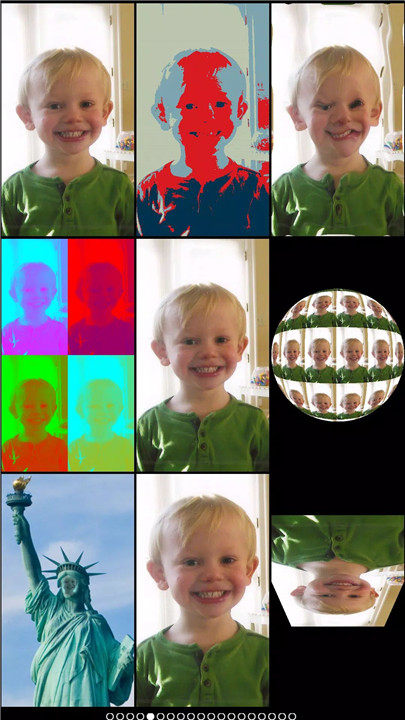
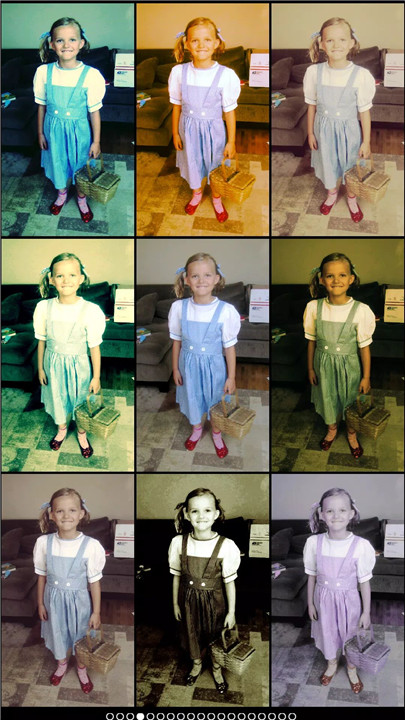
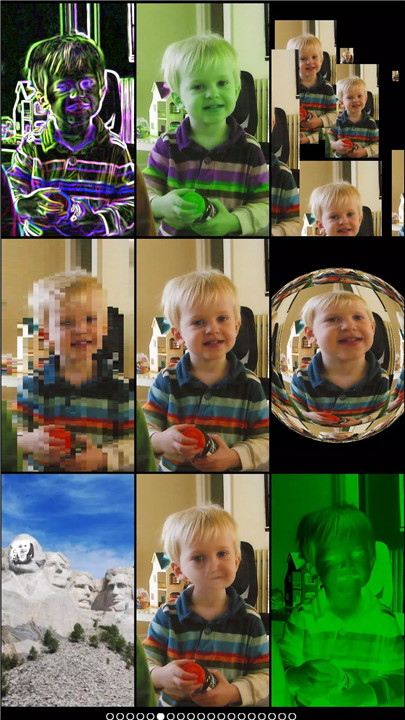
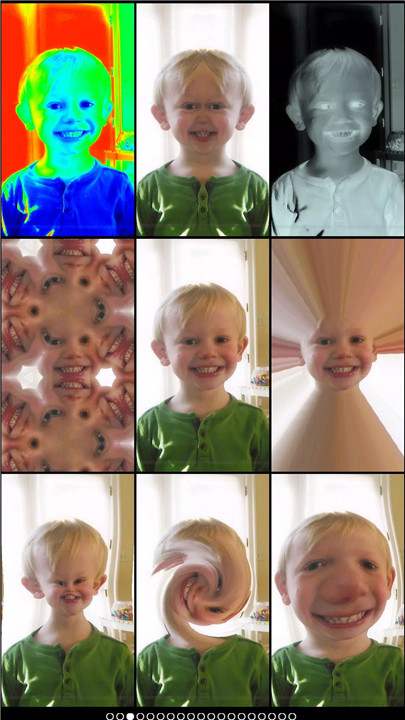
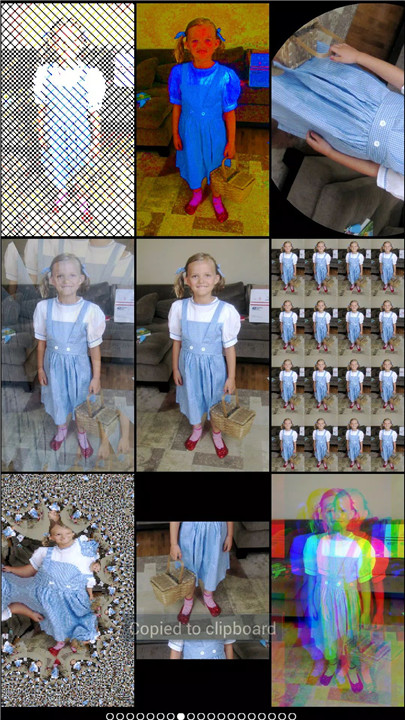
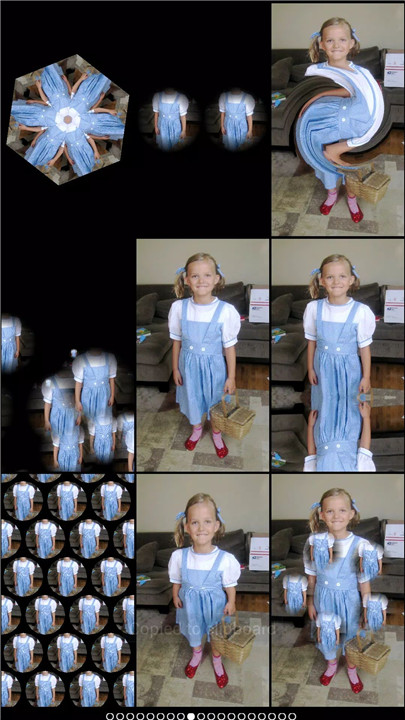
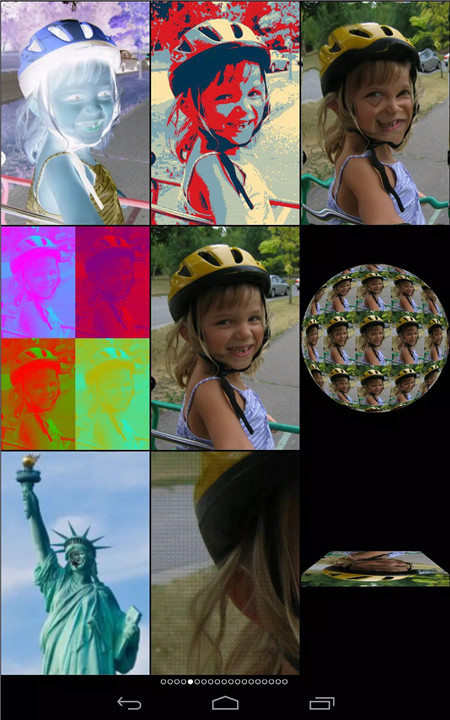
Mega Photo includes over 100 free effects that bring photos and videos to life. Users can explore options like motion blur, emboss, x-ray, halftone, and spinning 3D visuals. Additionally, 40 vintage camera effects provide a nostalgic, retro aesthetic for timeless creations.
Real-Time Interactive Filters
All effects can be viewed and adjusted in real time. Interactive controls such as tap, drag, zoom, and rotation allow precise customization before capturing images or videos. This ensures each creation is personalized and visually engaging.
Advanced Photo and Video Editing
The app enables users to distort, warp, pinch, and recolor visuals effortlessly. Video recording is enhanced with the ability to pause and switch effects mid-recording, offering greater creative control. Users can even add music from their library to produce entertaining video content.
Flexible Camera Options
Mega Photo supports both front and rear cameras, making it convenient for selfies or group shots. Users can also upload existing images from their gallery, expanding editing possibilities beyond live captures.
Fun and Interactive Experiences
Beyond editing, the app introduces playful elements such as transforming photos into interactive puzzles or arcade-style visuals. These features add a layer of entertainment that goes beyond traditional photo apps.
Easy Sharing with Friends
Sharing creations is simple and quick. Users can post directly to social platforms or send images via email. Built-in timer functionality ensures group photos are easy to capture, making it ideal for social gatherings and memorable moments.
FAQs
Q1: What is Mega Photo used for?
Mega Photo is used to transform photos and videos with creative effects, allowing users to edit, enhance, and share visually unique content.
Q2: How many effects are available in Mega Photo?
The app offers over 100 free effects, including artistic filters, distortions, and 3D transformations, along with additional vintage-style options.
Q3: Can Mega Photo be used for video editing?
Yes, Mega Photo supports video recording with real-time effects, including the ability to pause and switch effects during recording.
Q4: Does Mega Photo allow customization of effects?
Yes, users can interact with effects using gestures like zoom, drag, and rotation to adjust visuals before capturing photos or videos.
Q5: Is it possible to share content directly from the app?
Yes, Mega Photo enables easy sharing through social media platforms or email, making it simple to distribute edited photos and videos.
Version History
v1.7.1—9 Mar, 2025
Fix bugs in reprocessing videos.
v1.7.0—1 Feb, 2025
more effects
more effects are free
bug fixes
v1.6.5—14 Jan, 2025
bug fixes
- Version number1.7.1
- System Requirements5.0 and up
- Is there a feeFree(In game purchase items)
- AppSize27.60M
- AppLanguage English
- PublisherPaul Falstad
- Package Namecom.falstad.megaphotofree
- MD5
- Content RatingTeenDiverse Content Discretion Advised
- Privilege19

-
Mega Photo 1.7.1Install
27.60M2026-03-24Updated










9.9
2629 Human Evaluation
- 5星
- 4星
- 3星
- 2星
- 1星