

CPU-Z
- 7.8
7163Evaluation
- 2573+
downloads
- 16+
Over 16 years old
CPU-Z for Android is the mobile version of the renowned PC CPU identification tool, offering detailed information about devices in a compact, easy-to-use application. Free to use, it provides insights into the SoC (System on Chip), system specifications, battery status, and sensors, making it a powerful utility for anyone interested in understanding the hardware and performance of their Android device.
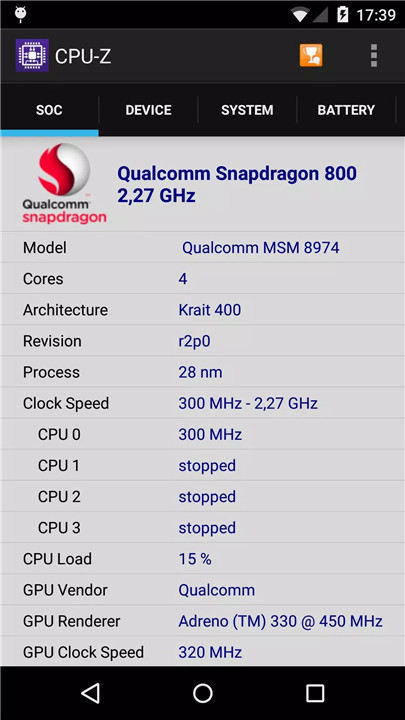
SoC Information
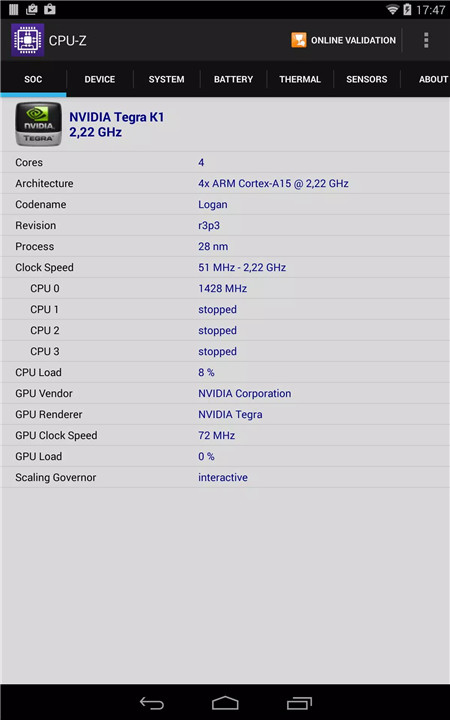
CPU-Z reports the name, architecture, and clock speed of each core in the device’s System on Chip. This allows users to identify processor capabilities and compare performance across different devices.
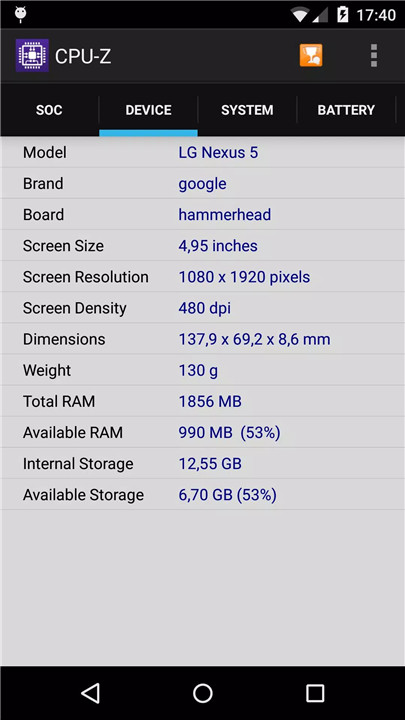
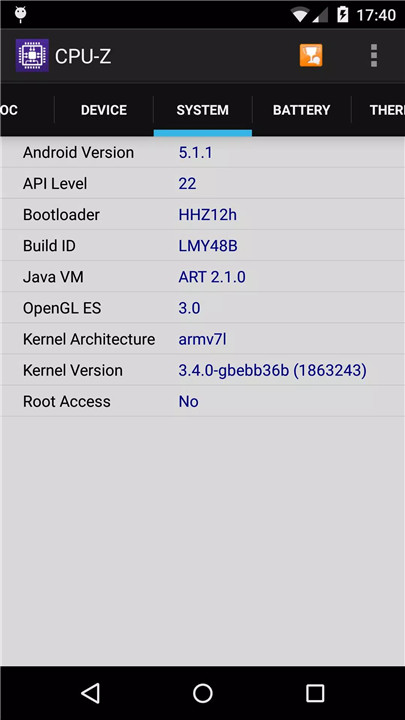
System Information
The app provides complete system details, including device brand and model, screen resolution, RAM, and storage. Users gain a clear understanding of their device’s configuration and available resources.
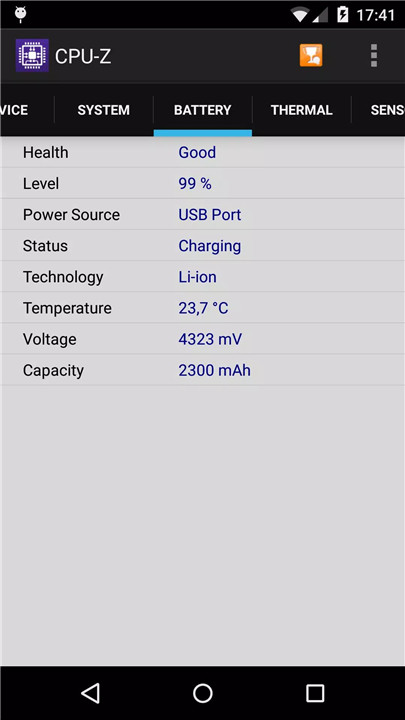
Battery Information
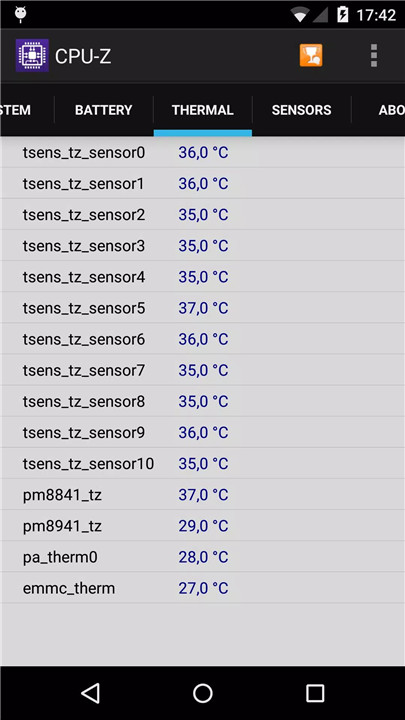
CPU-Z displays the battery level, status, temperature, and capacity. Users can monitor power consumption and health, with options to adjust settings for better accuracy.
Sensors
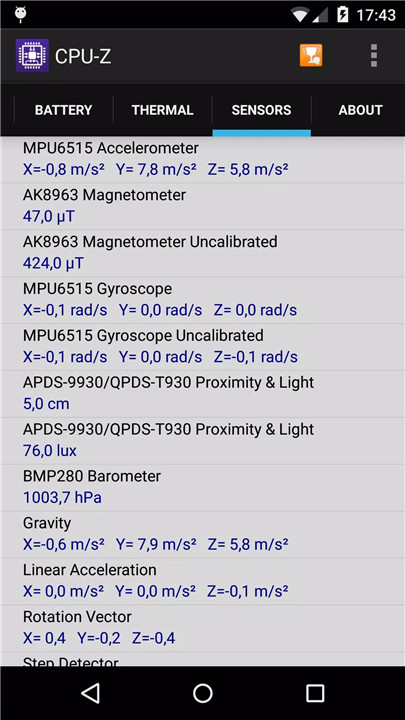
The application reads all available sensors on the device, including accelerometer, gyroscope, and ambient light sensors. Sensor monitoring can be disabled in settings to save battery life if needed.
Online Validation
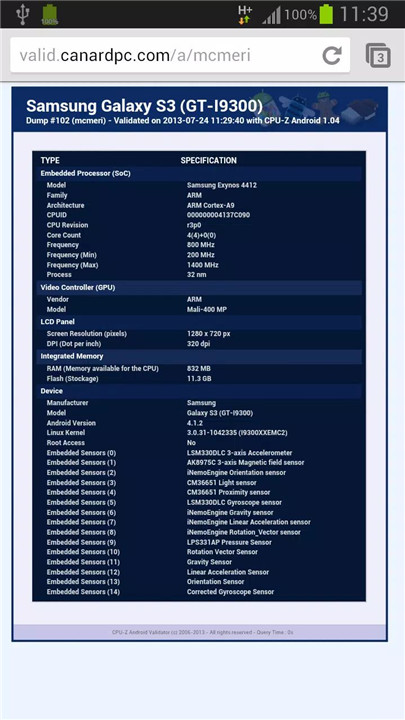
Starting from version 1.04, CPU-Z allows users to validate their device specifications online. The hardware data is stored in a database, and a validation URL can be opened in a browser. Users can optionally enter an email address to receive a validation link for future reference.
Settings and Debug Tools
In case of abnormal closure or detection errors, CPU-Z provides a settings screen at the next launch. Users can disable core detection features to restore functionality. Bugs can also be reported via email using the “Send Debug Infos” option in the application menu.
Permissions
INTERNET: Required for online validation of device specifications.
ACCESS_NETWORK_STATE: Used for collecting statistics and monitoring connectivity.
Optional in-app purchases are available to remove advertisements and enhance the user experience.
FAQs
Q1. Which permissions are required for CPU-Z and why?
CPU-Z requires INTERNET permission for online validation and billing permission for optional in-app purchases, such as ad removal.
Q2. What in-app purchase is offered by CPU-Z?
The app offers an in-app purchase to remove advertisements for a cleaner interface.
Q3. Why does CPU-Z consume a lot of battery?
Battery usage may increase due to sensor readings. Users can disable sensor monitoring in the Settings page to save power.
Q4. Why does CPU-Z report incorrect battery capacity?
Battery capacity relies on the operating system, which may occasionally report inaccurate values. From version 1.10, it is disabled by default but can be restored in settings.
Q5. How can bugs or detection issues be reported?
If CPU-Z closes unexpectedly, the settings screen appears at the next launch to restore functionality. Detection bugs can be reported via the “Send Debug Infos” option in the app menu.
Version History
v1.55—30 Mar, 2026
- ARM C1-Nano, C1-Pro, C1-Ultra, C1-Premium.
- Samsung Exynos 2600 & 2500.
- Google Tensor G3 (Zuma), G4 (Zuma Pro) and G5 (Laguna).
- Unisoc SC9863A.
- Qualcomm Snapdragon 670.
- MediaTek Dimensity 7300e and 7360-Apex.
- MediaTek Dimensity 7400-Apex and 7400-Turbo.
- MediaTek Dimensity 7450 & 7450X.
- MediaTek Dimensity 6500.
- MediaTek Dimensity 8500-Turbo, 8500 Super and 8500 Extreme.
- MediaTek Dimensity 8550.
v1.54—17 Nov, 2025
- MediaTek Dimensity 8500 & 8500-Ultra.
- MediaTek Dimensity 8400-Ulimate.
- MediaTek Dimensity 7400-Ultimate.
- MediaTek Dimensity 7100.
- Unisoc sc9832e.
v1.52—19 Aug, 2025
- MediaTek Helio G200 Ultra.
- MediaTek Dimensity 7400-Ultra, 7360 & 7360-Turbo.
- MediaTek Helio G99 (MT8781 version).
- Unisoc SC9832E.
- Version number1.55
- System Requirements5.0 and up
- Is there a feeFree(In game purchase items)
- AppSize4.80M
- AppLanguage English
- PublisherCPUID
- Package Namecom.cpuid.cpu_z
- MD5
- Content RatingTeenDiverse Content Discretion Advised
- Privilege19
-
CPU-Z 1.55Install
4.80M2026-03-30Updated










7.8
115 Human Evaluation
- 5星
- 4星
- 3星
- 2星
- 1星