

ClearMechanic Advanced
- 8.5
6177Evaluation
- 6344+
downloads
- 16+
Over 16 years old
Get early access to ClearMechanic Advanced—streamline inspections with photos, videos, and priority levels. ClearMechanic Advanced is a beta version of the main ClearMechanic app, designed specifically for automotive service centers. This early-access version allows service centers to try out new features in active development, providing valuable feedback to help make ClearMechanic the best automotive inspection tool available.
Tailored Multi-Point Inspections
ClearMechanic Advanced allows service centers to create customized electronic multi-point inspections. Each inspection can be designed to match the specific needs of the shop, ensuring that every check is relevant and thorough. This flexibility streamlines operations and helps maintain consistency across inspections.
Photo and Video Integration
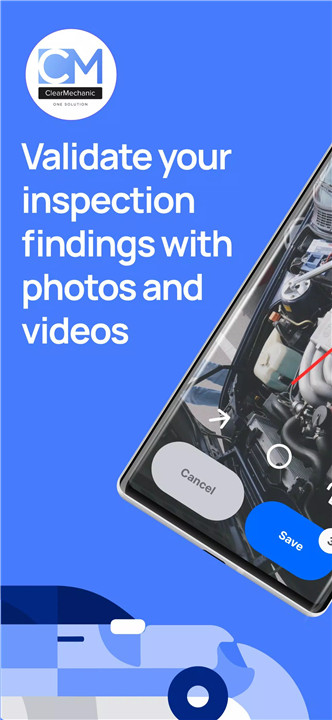
Technicians can enhance inspection reports with photos and videos, providing visual proof to support their findings. This functionality improves communication with customers, helping them understand the condition of their vehicles and the reasons behind recommended repairs.
Priority Levels for Findings
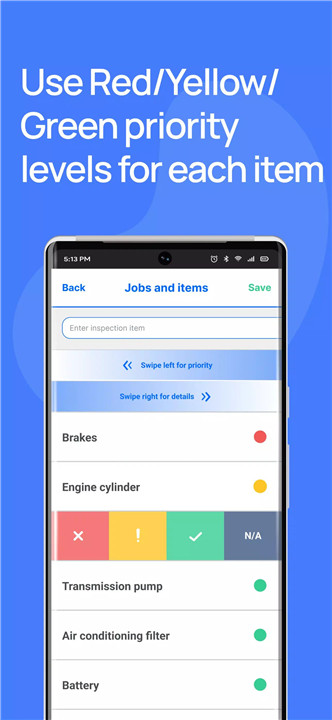
The use of Red, Yellow, and Green priority levels in ClearMechanic Advanced validates inspection results and communicates urgency. Red indicates critical issues that need immediate attention, Yellow highlights items that should be monitored or addressed soon, and Green confirms areas in good condition. This system ensures clarity and transparency in vehicle assessments.
Compatibility with Mobile Devices
ClearMechanic Advanced is compatible with both smartphones and tablets, enabling technicians to perform inspections on their own devices. This eliminates bottlenecks caused by sharing devices and makes the inspection process more efficient.
Inspection Sharing and Reporting
Once inspections are completed, they can be uploaded and shared through multiple channels, including e-mail, SMS, website links, or printable reports. This versatility allows service centers to provide clear, professional reports to customers quickly, enhancing service quality and customer satisfaction.
Beta Access for Continuous Improvement
As a beta app, ClearMechanic Advanced is in active development, meaning that new features may occasionally be experimental or require adjustments. By using the app, service centers contribute feedback that helps refine the application and ensures it meets the evolving needs of automotive professionals.
FAQs
1. What is ClearMechanic Advanced?
ClearMechanic Advanced is a beta version of ClearMechanic designed for automotive service centers to streamline vehicle inspections.
2. Can inspections include photos and videos?
Yes, technicians can attach photos and videos to provide visual proof of inspection findings.
3. What do Red, Yellow, and Green priority levels mean?
Red indicates critical issues, Yellow highlights items to monitor or fix soon, and Green confirms areas in good condition.
4. Can technicians use their own smartphones?
Yes, ClearMechanic Advanced works on smartphones and tablets, allowing technicians to use their own devices.
How can inspection reports be shared?
5. Reports can be shared via e-mail, SMS, website links, or printed versions for customers.
Version History
v3.30.05—20 Jun, 2025
New features:
“Scheduled” and “Delivery” fields available in the “Jobs” screen.
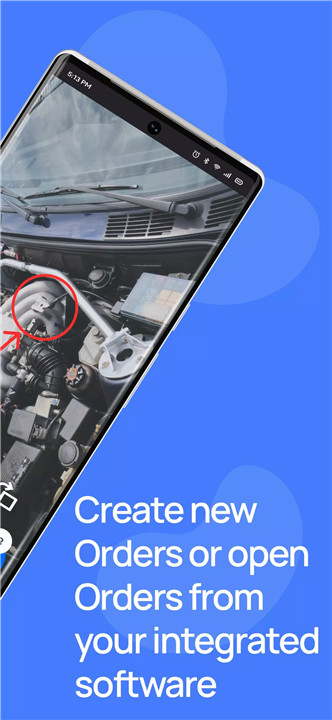
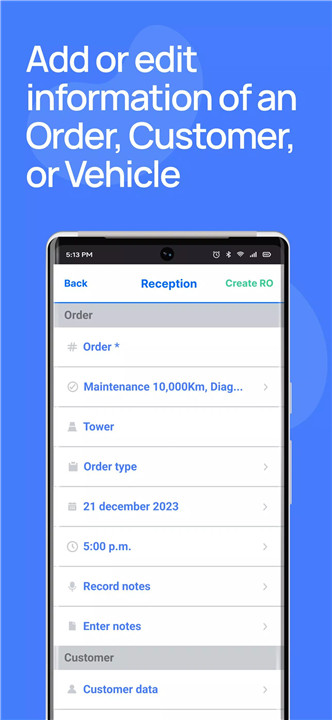
View and edit “Reasons for visit” in Orders without an Appointment.
Fixes:
Stable performance when adding more than 15 photos to an inspection item.
Order editing is available without the “View all Orders” permission.
First subitem now displayed in the “Estimate” screen.
Proper translation of the pause reason based on the account language.
Red inspection items are created when converting an Appointment.
v3.30.03—10 Jun, 2025
New:
Show default estimates when adding inspection items.
Added "Campaigns" in Reception (VIN scan/appointment).
Improved one-handed camera capture.
Fixes:
Fixed "Peru USD" currency format.
Faster inspection form & Jobs screen loading.
Correct digital signature headers.
Evidence now saves for Orders without RO.
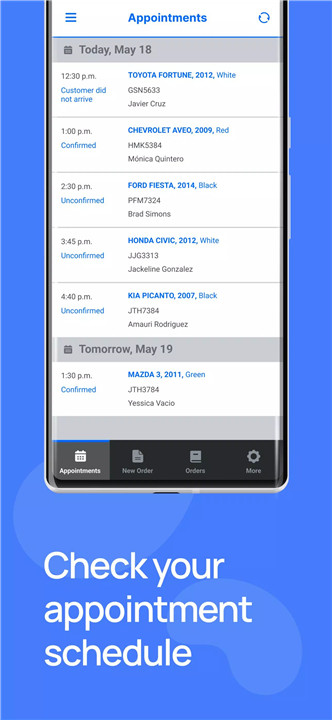
Fixed: Past appointments loading
v3.30.02—21 May, 2025
New features:
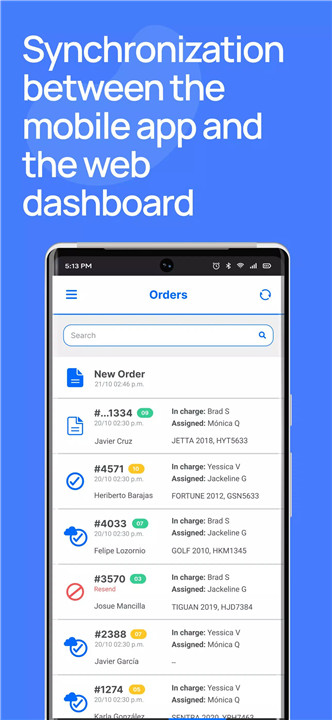
-Redesigned "Orders" screen for improved visibility and consistency.
-Search for Orders by plate number.
-Active "Vehicle campaigns" now available.
-Push notification when a job is assigned.
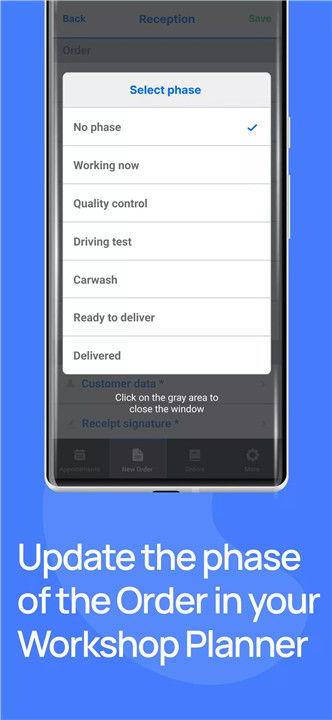
-Improved UX for changing job phases.
-Updated fields in "Order detail" and "Notifications".
Fixes:
-Visual and label adjustments.
-Fixed issue with order creation time.
-Prevented duplicate Orders.
-Flash now activates correctly when recording video.
- Version number3.30.05
- System Requirements5.0 and up
- Is there a feeFree(In game purchase items)
- AppSize21.50M
- AppLanguage English
- PublisherClearMechanic
- Package Namecom.clearcheck.cmbeta
- MD5
- Content RatingTeenDiverse Content Discretion Advised
- Privilege19
-
ClearMechanic Advanced 3.30.05Install
21.50M2026-01-29Updated










8.5
4528 Human Evaluation
- 5星
- 4星
- 3星
- 2星
- 1星